KNOWLEDGE MAP · VIDEO & CAMERAS
Precision of values. Density of samples.
Change bit depth independently of 4:4:4, 4:2:2 and 4:2:0. A test chart and error map show loss in values separately from loss in spatial detail.
Read the numbers. Notice the assumptions. Then apply the idea to your footage.
Values and positions.
12800Cb / Cr: 3200 / 32000.296900not spatially subsampledProgressive 160×80 model: box-filtered chroma, nearest-block reconstruction. Not an H.264/HEVC decoder or siting selector. The browser canvas is always 8-bit. Ramp view stretches 0.25…0.35; the error view is absolute RGB difference ×16.
 TOPIC ILLUSTRATION
THE ESSENTIAL IDEA
Bit depth and chroma subsampling
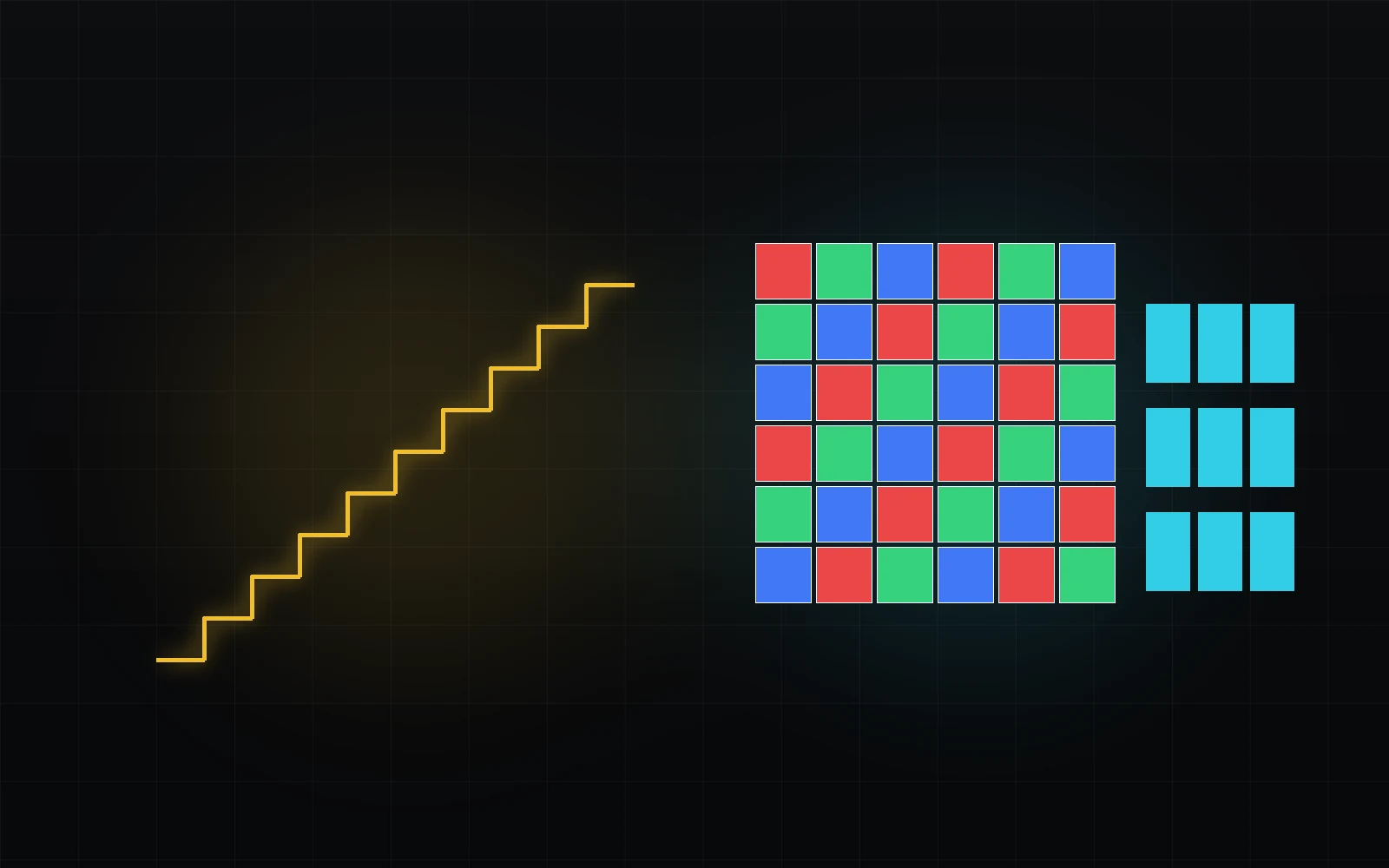
Bit depth controls the step size used to record a component value. Subsampling controls where colour-difference samples are retained at all. More bits cannot replace a missing grid, while a full grid cannot remove coarse quantisation.
- Distinguish code precision from chroma density.
- Explain loss using the type of test detail.
- Do not promise recovered detail from a 4:4:4 export.
Bit depth is the number of distinguishable codes
An n-bit integer component has 2ⁿ possible codes: 256 at 8 bits, 1024 at 10 and 4096 at 12. This is the whole word, not automatically the number of steps between nominal black and white. Video mapping uses part of the scale differently, and luma and chroma spans differ.
Rounding replaces a continuous or more precise value with a permitted level. For a fixed transfer and range, a finer grid reduces error. Yet “8 versus 10” is incomplete without the function, range and earlier losses. Storing eight-bit-derived values in a ten-bit container does not retroactively create precision.
What this means in practice
Ten-bit Video has 876 intervals between Y′ = 0 and 1, or 877 values including both endpoints. Do not confuse intervals with levels.
Why a smooth gradient develops bands
When neighbouring regions round to the same code, a continuous change becomes a plateau. Strong later grading can make boundaries more visible. Banding is not caused only by source bit depth: compression, processing, export, the graphics path and display also matter. A screenshot alone cannot identify the culprit.
Small noise or dither can decorrelate quantisation error and make its structure less conspicuous; it does not reconstruct missing original values. The lab intentionally omits dither to expose rounding first. Its enlarged ramp explicitly stretches 0.25…0.35; it is not HDR viewing.
What this means in practice
Choose Ramp, 4:4:4 and 8 bits, then 10 bits. Numerical error decreases; the browser has not switched into a ten-bit output mode.
Bit depth is not sensor dynamic range
Measurement dynamic range concerns useful upper signal relative to a lower limit determined by noise and the chosen criterion. Recording bit depth specifies representation precision. A nonlinear function can allocate a large light range to a limited number of codes without improving physical signal-to-noise ratio.
There is no universal conversion from “10 bits” to a fixed camera stop count. More codes may preserve distinctions better within one range; another curve distributes the same number differently. Ask separately what was measured, which range was encoded and how precisely each value was stored.
What this means in practice
ARRI specifies a 12-bit minimum for software LogC4. This is a requirement for that encoding, not a universal definition of dynamic range.
Processing precision and file precision are different boundaries
Processing may use floating-point values, allowing negative intermediates and values above one without immediate clipping. That is neither infinite precision nor a guarantee that every plug-in, LUT or export retains the same range.
Converting to float does not restore discarded chroma or undo earlier rounding. It helps avoid extra limitations during subsequent operations. Check pipeline boundaries separately: decoding, interchange, effects, external rendering and final encoding. One project setting does not certify the whole chain.
What this means in practice
A higher-depth intermediate helps retain new calculations, but an original step remains a step until processing changes or interpolates it.
4:4:4 retains a full component grid
In the Y′CbCr representation considered here, 4:4:4 retains Y′, Cb and Cr at every position. It preserves a complete chroma grid without mandatory spatial reduction. It does not by itself specify depth, codec, compression strength or transparency.
For W×H imagery, three full planes give 3WH samples excluding alpha. That counts spatial values, not compressed file size. ProRes profiles have different capabilities; 4444 includes alpha support but does not mean every such file actually contains meaningful transparency.
What this means in practice
A 160×80 grid has 12,800 samples per component, 38,400 total. The hero computes this count, not bitrate.
4:2:2 halves horizontal chroma density
Typical 4:2:2 halves Cb and Cr density horizontally while retaining vertical density. Each pair of luma positions in a row has one Cb and one Cr sample. It does not delete half the RGB pixels or divide the image into red, green and blue portions.
For even W and H, the total is 2WH values: WH luma and WH/2 per chroma component. At equal depth, that is two thirds of the 4:4:4 sample count before compression. Fine vertical colour boundaries are sensitive to horizontal filtering, while grey edges can retain detail through Y′.
What this means in practice
Switch between coloured and grey grids with rounding disabled. Chroma loss affects the first without necessarily blurring the second.
4:2:0 reduces chroma density on both axes
In a usual progressive 4:2:0 model, one Cb/Cr pair serves a 2×2 luma region. Y′ stays full resolution; each chroma plane has WH/4 samples, for a 1.5WH total. That is half the total component-sample count of 4:4:4, not “half the image quality”.
Colour differences are filtered before reduction. The lab uses box averaging followed by repeated-block reconstruction. Real codecs and decoders can use different filters and positions. The preview explains a class of loss; it does not predict the quality of a particular H.264 or HEVC preset.
What this means in practice
Two coloured patches with equal Y′ can lose their boundary through chroma filtering even though no luma sample was discarded.
Filter, phase and frame structure
4:2:0 alone does not fully specify chroma positions relative to Y′ or reconstruction. Progressive and interlaced arrangements deserve separate attention. Filter phase and sample positions influence fine colour edges; a mismatch can look like a halo or colour shift.
Shifting the lab pattern shows how identical structure aligns differently with averaging blocks. It is not an MPEG chroma-siting selector: the model positions are fixed and documented. For real interchange, inspect chroma_location metadata and the resampler behaviour.
What this means in practice
After resizing, inspect alignment of luma and colour boundaries as well as sharpness. A subpixel shift can matter for keying.
Repeated generations: where extra loss occurs
Each export can add quantisation, spatial filtering or codec loss. Yet “every repetition must cause more damage” is too broad. Repeating the same already-rounded operation can be idempotent; real loss depends on new values, filters, phases and compression.
Risk is greater when size, alignment, grading or formats change between exports. Converting 4:2:0 back to 4:4:4 reconstructs a dense grid, not the original coloured detail. Such an intermediate can be valuable for later processing, but it is not a time machine.
What this means in practice
Test the actual export → import → adjustment → export chain rather than inferring generational behaviour from file extensions.
Choose for the task, not one impressive number
Smooth gradients and heavy grading need value precision. Fine coloured graphics, chroma-key boundaries and intermediate compositing also need spatial sampling. Motion, texture, noise and codec limitations add other requirements. There is no universal one-word ranking of 10-bit 4:2:0 against 8-bit 4:4:4.
Start from the most vulnerable element and run a short test, then consider compatibility, storage and recipient requirements. Footage that already lost chroma during capture can still benefit from a careful intermediate preserving newly added titles and subsequent calculations.
What this means in practice
A sharp red title added after decoding is new colour information. Exporting to 4:2:0 can alter it even when the original footage was already 4:2:0.
In Resolve, inspect different classes of detail
Use a short test with sky or a smooth fill, fine coloured lettering and a moving edge. Compare source, processed result and re-imported export under matching colour management. Viewer scale matters: downscaling can hide defects, while enlargement can emphasise interpolation structure.
Inspect the actual output pixel format and profile separately. Render settings describe intent; the encoded stream is what the recipient will read. For keyed material, inspect both RGB and matte because chroma-edge errors may become more visible after selection.
What this means in practice
Compare a banded gradient before and after export in one application first. This separates some recording errors from differences between players.
Master, intermediate and delivery
A working master should retain properties needed for later processing; a delivery file should meet the recipient’s confirmed specification. These may be different files. Do not use one universal “maximum” preset: an unsupported profile is not made useful by a higher bit count.
Check component depth, chroma, range, primaries, transfer and alpha separately. Retain sources and processing notes. If a platform transcodes the file, inspect its actual result as well as the local copy. Confirm platform requirements when delivering.
What this means in practice
“ProRes, ten-bit, 4:2:2” still does not define colour space, nominal levels or whether a look is baked in.
A MODEL YOU CAN CHECK
Two axes of loss, two different tests.
Keep the meaning, the calculation and the limitation together.
4:4:4 = 3WH; 4:2:2 = 2WH; progressive 4:2:0 = 1.5WHComponent-sample counts for even W,H, excluding alpha and packing. These are not file sizes. The lab uses 709 Y′CbCr, box-averaged chroma and repeated-block reconstruction, not a specific codec. Canvas output remains eight-bit even when model quantisation is ten-bit.
| Concept | What it describes | What not to conclude |
|---|---|---|
| Bit depth | The numeric step of a component value. | Cannot restore missing spatial samples. |
| 4:4:4 / 4:2:2 / 4:2:0 | Density of colour-difference planes. | Does not automatically set bitrate or losslessness. |
| Chroma filter | Selection and reconstruction of spatial samples. | The same 4:2:0 label does not guarantee identical results. |
| Higher-depth intermediate | Fewer new losses during later processing. | Does not undo previously baked rounding and filtering. |
DO. OBSERVE. EXPLAIN.
See what was lost: a value or a position.
Three synthetic tests are built in. For your codec, export a short comparable test and re-import into the same viewing process.
- 01
Separate chroma from luma
With rounding off, compare 444, 422 and 420 on the coloured grid, then enable the error map.
CHECKY′ error is zero while RGB differ because of chroma.
- 02
Change the edge type
Switch to grey edges while retaining 420 without rounding.
CHECKGrey detail is retained because its information is in Y′.
- 03
Inspect value precision
Choose the ramp and 444, compare eight and ten bits, and read maximum error.
CHECKThe grid is unchanged; only value precision differs.
- 04
Test an export
Repeat with a short file and inspect actual pix_fmt, profile and colour fields.
CHECKThe result is judged from the actual file and task, not merely a preset.
Check your understanding
TEST THE EXPLANATION
A situation, not a trick question.
Answer first. Open the reasoning afterwards.
01After 420→444 the text is soft but the grid is full. Has detail returned?+
No: a dense grid was reconstructed from sparse chroma samples. Output pixel count does not prove recovered original structure.
02Are ten bits always better than eight-bit 444?+
The comparison is incomplete without chroma, codec and task. A gradient and fine coloured lettering stress different limits.
03Must rounding the same code twice increase loss?+
No: an unchanged already-rounded value can remain identical. New adjustments, filters, phases and codec losses change the situation; test the actual chain.
Avoid these shortcuts
- Treating 10-bit as automatically HDR/wide gamut.
- Treating 4:4:4 as automatically lossless.
- Believing a 4:4:4 export restores source 4:2:0 detail.
- Ignoring chroma siting/filtering.
- Repeatedly transcoding through 4:2:0 intermediates.
- Choosing a format by one number instead of the next processing task.
From the model to your workflow.
First identify the incoming values and operations already applied. Then check decoding, colour processing and the final export separately. The lab demonstrates its stated calculation; it does not measure your display, decode uploaded footage or certify camera settings.
CHECK THE FOUNDATION
Sources and model limits.
Editorial review: 1 October 2026. Links identify the definitions and formulas; exercises are independent teaching examples.
- [1]ARRI · LogC4 specification, §4.1–4.3 ↗
LogC4 software functions, AWG4, domain and bit-depth requirement. The lab uses §4, not the hardware curve in §3.
- [3]Blackmagic Design · Blackmagic RAW ↗
Partial demosaic, embedded and sidecar metadata, decode controls. These properties are not attributed to every RAW format.
- [4]ITU-R · BT.709-6, §3–4 ↗
Y′CbCr matrix, quantisation, nominal Y′ and Cb/Cr levels and 4:2:2 sampling.
- [7]FFmpeg · ffprobe documentation ↗
Stream selection, fields and JSON inspection of a rendered file. Metadata is evidence, not proof of image correctness.
- [8]FFmpeg · setparams / scale / zscale ↗
Frame-property assignment versus value conversion; range and chroma location during resampling.
- [9]FFmpeg · pixel formats and chroma locations ↗
Component dimensions, pixel-format names and chroma locations. The yuv API prefix does not mean analogue YUV.
- [10]Apple · ProRes white paper, April 2022 ↗
Different family profiles: depth, chroma, alpha and visually versus mathematically lossless.
- [12]Blackmagic Design · DaVinci Resolve Color ↗
Colour management and RAW processing. Available controls depend on the format, version and project mode.