COLOR GRADING ENCYCLOPEDIA
Color.Give every frame
its own character.
From a balanced starting point to a deliberate look. Explore DaVinci Resolve’s tools, understand the signal and build a grading workflow you can control.
Light and color
Local precision
A coherent look
Move a color wheel. The frame and scopes respond together.
Drag a wheel. Use arrows when focused; Home resets it.
Interactive 8-bit study. Simplified browser math, not Resolve’s color engine or a Log/HDR transform. Values are relative.
01 A CLEAR STARTING POINT
Learn the logic.
Then the shortcuts.
New to Color? Follow these four guides. Already grading? Jump straight to the tool you need below.
02 THE COLOR TOOLBOX
A tool for every decision.
A guide for every tool.
Open a topic for parameters, interface references and practical notes. Studio-only features are called out where the distinction matters.
HDR Wheels
Shape exposure and color in configurable tonal zones. The HDR palette is useful for SDR grading too.
Open guideCamera RAW
Set the decoding of supported RAW formats before the node graph. Available controls depend on the camera format and decode mode.
Open guideColor Match
Use a supported color chart to establish a starting balance. Check the chart alignment, input settings and result with scopes.
Open guideCurves and Color Warper
Custom Curves, Hue vs Hue, Hue vs Sat and Lum vs Sat. Explore the separate Color Warper palette for linked color adjustments.
Open guideColorSlice
Adjust hue, saturation and density in color slices, including a skin range. Refine the selected hues with Center and inspect the Highlight view.
Open guideRGB Mixer
Mix contributions from the input RGB channels into each output channel. Explore channel relationships and monochrome conversion.
Open guideQualifier, windows & tracker
Build a color selection, limit it with a Power Window, then track the window and inspect the matte through the entire shot.
Open guideMagic Mask
AI-assisted object isolation and tracking. Refine the matte and check difficult motion; controls vary by Resolve version.
Open guideKey: control node strength
Control a node’s incoming and outgoing key signal. Key Output Gain can reduce the strength of the correction.
Open guideSizing and framing
Input, Edit, Node, Output and Reference Sizing: distinguish where transforms and framing changes happen in the pipeline.
Open guideColor Management
Separate input, working and output spaces. Choose a managed workflow or explicit CSTs without applying the same transform twice.
Open guideGallery, Stills & Versions
Save stills and grades, compare shots and keep alternative versions. Reusing a grade does not remove the need to match shots.
Open guideMotion Effects
Explore temporal and spatial noise reduction and motion blur. Noise reduction requires Studio; judge artifacts in motion.
Open guideResolve FX catalog
Browse effects by their Resolve categories, with parameters, screenshots and usage notes. Some effects require Studio.
Open guide03 THINK IN SIGNAL FLOW
Not a pile of nodes.
A sequence of decisions.
Select a stage to see what it is responsible for. This is a learning model: adapt node order and color management to your footage and delivery.
One stage. One clear purpose.
Select a stage. On a narrow screen, scroll the diagram or use the arrows above.
Inside the grade
Know what enters the grade
Check source encoding and the project’s color management. With RCM or ACES, input and output transforms may happen outside the clip node graph. Do not add a duplicate CST out of habit.
Explore this stageInside the grade
Build a consistent starting point
Adjust exposure and unwanted color casts, and match adjacent shots. Lift, Gamma and Gain work in overlapping tonal ranges; Offset changes the whole image.
Explore this stageInside the grade
Shape tonal relationships
Use contrast, pivot and curves to shape the image. Watch detail at both ends of the range rather than stretching every shot to the same scope limits.
Explore this stageInside the grade
Direct attention locally
Use qualifiers, windows and tracking for specific areas. Inspect the matte and the result in motion: a clean mask on one frame is not enough.
Explore this stageInside the grade
Give the scene its character
Shape the palette, density and overall mood. A LUT expects a particular input encoding; a creative LUT is not a universal replacement for color management.
Explore this stageInside the grade
Check the intended delivery
Check the output color space, viewing conditions and signal. Use scopes throughout the grade, not only at the end. Order and transforms depend on the actual project.
Explore this stageA learning sequence, not a mandatory node tree. Input and Output describe signal stages, not two required CST nodes. Scopes accompany the entire process.
04 / BEYOND THE CONTROLS
Know the tool.
Understand the color.
The Color encyclopedia explains how to work in Resolve. Color Science goes deeper into light, vision, color spaces, transfer functions and signal encoding. Two connected routes, not the same material twice.
FROM READING TO PRACTICE
Put it to work.
Sources, version notes and the interactive demo
Hub summaries were checked against Blackmagic Design’s Color, Studio and training materials on 29 September 2026. This pass covers this landing page, not a fresh audit of every linked article. Interface details and feature availability depend on the installed Resolve version.
Magic Mask and temporal/spatial noise reduction require Studio. HDR Wheels are not restricted to HDR delivery; Color Warper is a separate palette. Camera RAW controls depend on the source format. Avoid applying the same color-space transform both in project management and in a node.
The hero processes an 8-bit sample in the browser. Its overlapping tonal weights are illustrative, not a reproduction of Resolve’s algorithms. RGB Parade is calculated from the whole processed sample; the comparison divider only changes the view. It is not a calibrated scope or a Log/RAW/HDR conversion.
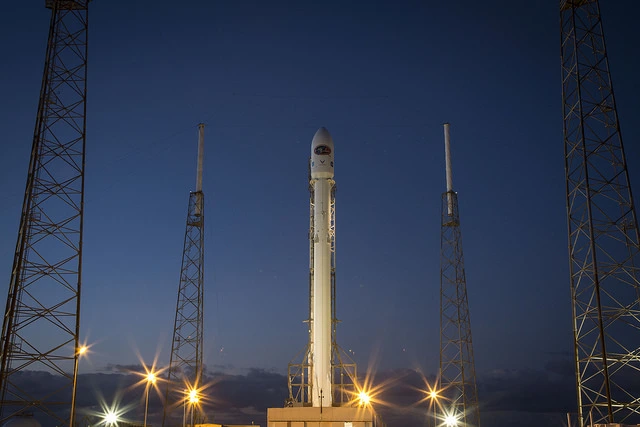
Sample image: SpaceX, DSCOVR / Falcon 9, public domain according to the scikit-image dataset documentation. Converted to WebP for this page.