KNOWLEDGE MAP · DISPLAY & PROFILES
The same pixels. Not always the same colour.
Image profile, display profile and the transform between them. Test assignment, conversion and duplicate processing in one calculated signal chain.
Read the numbers. Notice the assumptions. Then apply the idea to your footage.
File, profile, result.
XYZ 0.258 / 0.210 / 0.071XYZ 0.258 / 0.210 / 0.071File codes and their declared space. Assignment changes the tag; conversion changes the coordinates. This model bounds the file to 0…1.
0.72000 / 0.42000 / 0.24000Inspect numbers and limits
Original RGB codes: 0.72000 / 0.42000 / 0.24000
File RGB after operation: 0.72000 / 0.42000 / 0.24000
Declared profile: sRGB
Before file clipping: 0.72000 / 0.42000 / 0.24000
Display drive before clipping: 0.67886 / 0.43440 / 0.27525
After clipping: 0.67886 / 0.43440 / 0.27525
PCS D50: 0.27146 / 0.21459 / 0.05448. XYZ is normalised to white Y=1. Maximum absolute coordinate error is a diagnostic number, not a perceptual score.
Convert switches sRGB↔Display P3. Unbounded values are retained for inspection, then the file is explicitly clipped. A tag change cannot restore gamut. Repeat intentionally reads output codes as though they still belonged to the source profile and applies the transform again.
This is not the browser’s ICC engine. This uses ideal RGB displays, matrices/TRCs and a Bradford D50 PCS. It does not read ICC files or implement LUT profiles, rendering intents, BPC, HDR or screen measurement. Swatches are bounded sRGB previews.
 TOPIC ILLUSTRATION
THE ESSENTIAL IDEA
ICC profiles and colour between applications
An ICC profile helps a system connect numbers to a defined colour meaning. A source profile describes pixel values; a device profile helps calculate the signal for a particular device state. Changing the description and recalculating the numbers are different actions.
- Distinguish an embedded profile, working space and device profile.
- Find the first stage where values or interpretation changed.
- Test applications with known samples instead of compensating in the master by eye.
Three profiles, three different roles
First ask what the profile describes. An embedded image profile gives pixel values their colour meaning. A working space defines the representation used for editing. A display profile characterises a particular device mode so that a system can prepare its input signal. These are not three interchangeable files with attractive names.
A colour-management module, or CMM, performs transforms using profile data. A profile need not be merely three coefficients. This lab deliberately uses idealised matrix-based RGB models: enough to explore roles, but not to interpret an arbitrary .icc file.
What this means in practice
Selecting your monitor profile as a web image’s export profile confuses the roles. Define the agreed file space first, then control viewing separately.
Why PCS exists and why it uses D50
The ICC.1 architecture connects device descriptions through a shared Profile Connection Space. Ordinary ICC.1 profiles use XYZ or Lab referenced to D50. This bridge avoids needing a unique standalone profile for every source-and-destination pair.
D50 in the PCS does not require setting the physical display to D50. A profile can describe a display with a different white while expressing adapted data against the common reference. Both RGB systems in this lab use D65: the path applies Bradford adaptation to D50 and back. Intermediate XYZ values cannot be compared directly with the original D65 values without accounting for the reference change.
What this means in practice
Select PCS D50 and final XYZ D65 in the diagram. The consistent path reproduces the original colour even though intermediate numbers differ.
Assignment is not conversion
Assignment changes the description of existing numbers. Conversion recalculates values from a known source representation into a destination. When the colour fits both spaces and the path is consistent, conversion can preserve colorimetry while RGB changes. Colours outside the destination gamut or permitted range need an additional decision.
Choose Keep, Assign or Convert in the lab. Compare file values and the declared space before looking at the result. This separates cause from impression. Conversion into the bounded 0…1 file model explicitly exposes clipping; there is no hidden professional gamut-mapping algorithm.
What this means in practice
Convert an sRGB source to P3: values generally change while final XYZ remains consistent. Then assign P3 instead: values remain, but their meaning changes.
No profile: unknown data or a defined fallback?
A missing embedded profile does not prove that the image was created in sRGB. It may indicate a lost description. An application still needs an interpretation rule: a default, a working space or a user choice. Distinguish that rule from evidence about the source.
In the web context, CSS Color 4 specifies sRGB handling for untagged colours and images unless otherwise specified; CSS rgb() and hexadecimal notation also have an sRGB context. This does not validate an arbitrary photo after its profile is removed, define every editor’s behaviour or supply a universal video interpretation.
What this means in practice
If a known P3 file loses its profile, assigning sRGB may look pleasant without restoring the original meaning. Compare against a preserved tagged copy.
The destination profile must describe the actual mode
The source colour can be interpreted correctly while the wrong drive values are calculated because a destination profile is stale or belongs to another display. The lab separates the actual display from the selected profile intentionally: a profile file does not alter the panel’s physical primaries.
After changing gamut mode, brightness or calibration, check whether the profile still matches the state. A factory profile may be a useful initial description, but its existence does not verify your individual device after adjustment. With several displays, check association to the actual screen and behaviour when moving a window.
What this means in practice
Keep the actual display at P3 and select the wrong sRGB profile. Source-file values stay fixed, but predicted emitted colour no longer matches the intended colour.
Missing and duplicate transforms
A consistent chain performs the required transform once at the appropriate location. Bypassing colour management may send values to a device without reconciling spaces. A duplicate transform mistakenly interprets one transform’s output as original source values and processes it again. That is not an accuracy improvement.
Find the first divergence: source pixels, interpretation, display drive or emitted colour. A neutral sample can miss a primary mismatch when white and transfer functions agree, so include coloured samples. The lab’s Once, Bypass and Twice modes change the calculation rather than just the label.
What this means in practice
Compare neutral and coloured samples with sRGB→P3 conversion bypassed. Little or no change on grey does not verify the entire path.
Rendering intents and gamut limits
ICC supports different reproduction aims: perceptual, saturation, media-relative colorimetric and ICC-absolute colorimetric. An intent name expresses an aim, not identical pixel output from every profile and engine. Actual results depend on profile data, available tables and processing choices.
Media-relative colorimetric relates the medium white to the reference white while aiming to preserve in-gamut colorimetry. ICC-absolute colorimetric retains the difference between media whites within the defined normalisation; it is useful, for example, when soft-proofing a particular paper. Perceptual allows coordinated changes to colours and tonal relationships to support the overall image appearance. Saturation prioritises vividness and may trade hue accuracy for it; that aim can suit a chart but is not a universal photographic choice. Neither exact out-of-gamut behaviour nor a particular conversion result can be inferred from these four names alone: check the profile pair, engine and test samples.
Do not interpret absolute as a promise of exact physical screen luminance in nits: ICC has specific normalisation and viewing assumptions. Black handling and out-of-gamut colours need separate attention. The lab has no intent selector because its matrix model does not implement those profile tables. That is more honest than labelling four identical algorithms differently.
What this means in practice
When two exports differ, record intent, black-handling settings and application version as well as the destination profile. Otherwise you are comparing unknown operations.
A valid profile and a supported profile
A file may be structurally valid while a particular application path supports only some forms or applies its own assumptions. Header/tag checks, transform round-trip assessment and embedded-profile handling tests answer different questions. Record the profile version and the limitations of the software path.
ICC provides v4 handling tests but explicitly distinguishes them from display calibration. ColorSync can inspect and compare profiles; repairing structure does not validate the measurements used to create them. Preserve the original profile and diagnostic report instead of replacing everything with a supposedly universal download.
What this means in practice
A correct ICC test-page result confirms that particular test, not every LUT profile, HDR path or monitor mode.
Application and OS: record the actual chain
Applications on one OS cannot all be declared identically colour managed. Some use system services; others perform part of the processing themselves, and output mode can change the interaction. Microsoft documents ICC-application behaviour under Advanced Color separately. “Windows” without a mode and application version is therefore too broad a description.
On macOS, ColorSync provides profile tools, but their presence does not describe every video output. On Linux, likewise record the application, graphics session, compositor and display mode rather than generalising from one viewer. This is a reproducibility checklist, not a claim that every system supports every feature.
What this means in practice
Compare two windows on the same display in the same mode. Moving one to another display changes another variable and makes diagnosis harder.
Image ICC profiles and video colour signalling
A tagged still image and a video stream may communicate colour meaning differently. Video primaries, transfer characteristic, matrix and range need separate checks; a space name in an interface does not prove that all signalling is consistent. Do not assign your monitor profile to source video merely because two players differ.
When bringing graphics into video, establish the still’s source space, the project’s expected input and where conversion to the working representation occurs. At export, check values and description. A viewing LUT or device profile should not accidentally become part of a master intended for an unknown viewer’s display.
What this means in practice
Save a known-profile test image and inspect it in a project without creative nodes. Compare export and external viewing only after checking the input.
A control set instead of a random screenshot
A useful test has known input values, a profile and an expected transform. Use a neutral ramp, moderately saturated colours and a separate out-of-gamut sample. Preserve the source and a converted copy. Confirm first that both applications read the same file rather than different versions or previews.
A screenshot is another file captured at a particular stage and viewed through another path; it does not measure emitted monitor light. A support report should include the source, path description, versions and control-sample observations. Two photographs of screens alone leave too many unknowns.
What this means in practice
If RGB values match but one file declares sRGB and the other P3, a difference under correct viewing is expected. Identical RGB bytes do not establish identical colour.
Handoff and the limits of this lab
Agree on the representation stored in the delivery file, retained profile information and verification method. Keep a source master and separate delivery copies instead of repeatedly converting a single file for different screens. After handoff, compare a known control region through a defined path.
This experiment calculates sRGB and Display P3 matrices, their shared transfer function and Bradford adaptation through D50. It does not read ICC files, query your display profile or calibrate hardware. Swatches are bounded sRGB previews. Max.|ΔXYZ| is numerical difference with Yn = 1, not ΔE or a perceptual acceptability score.
What this means in practice
The consistent path approaches numerical zero only when clipping is absent. If a P3 sample exceeds sRGB, inspect pre-clipping values before declaring a conversion fault.
A MODEL YOU CAN CHECK
What actually changed
Keep the meaning, the calculation and the limitation together.
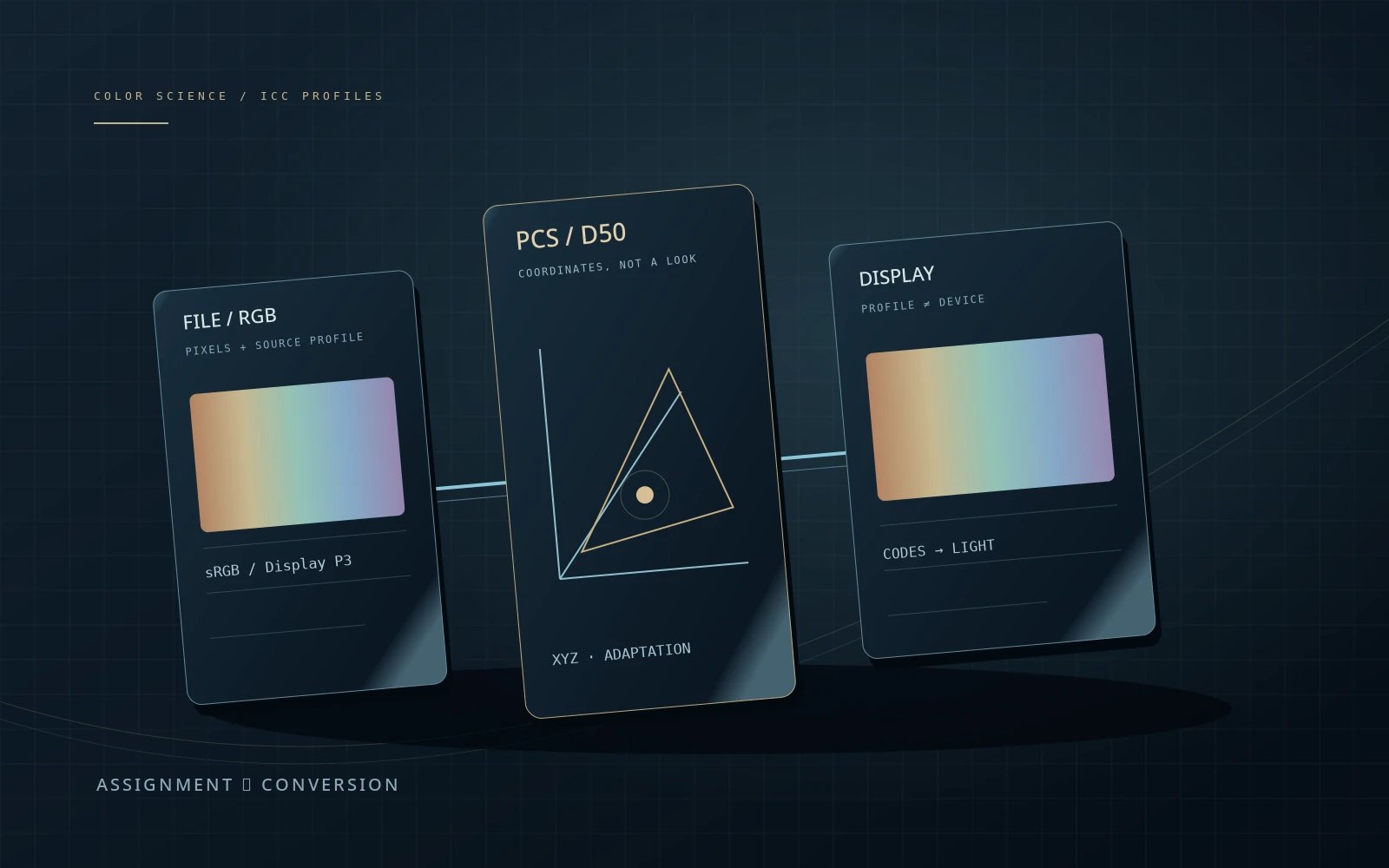
File RGB → XYZ(D65) → PCS XYZ(D50) → XYZ(D65) → device RGB → lightCalculated matrix/TRC model. With consistent profiles and no clipping, final XYZ matches the intended colour. Duplicate conversion intentionally reads transformed codes as source values again. The 0…1 bounds and sRGB preview limits are reported separately.
| Concept | What it describes | What not to conclude |
|---|---|---|
| Profile assignment | Description of existing values. | Need not preserve the original colour. |
| Conversion | Coordinates in a defined destination representation. | Preservation depends on gamut, range and method. |
| Device profile | Characterisation of a selected device state. | Does not expand physical display capabilities. |
| PCS D50 | Common reference connecting ordinary ICC.1 profiles. | Not a requirement to set the display to D50. |
| v4 handling test | Handling of a known tagged test image. | Not calibration measurement or verification of every output path. |
DO. OBSERVE. EXPLAIN.
Find the first divergence
Start with an sRGB source, a coloured sample and the model P3 display. Everything runs locally: user files, system profiles and device settings are not accessed. For real checks, preserve separate copies of test images.
- 01
Check the consistent path
Keep the source, matching display profile and one transform. Open the calculation and compare intended and final XYZ.
CHECKI distinguish PCS XYZ D50 from final XYZ D65.
- 02
Compare assignment with conversion
For the same sRGB sample, assign P3 and then convert to P3. Observe file values and final error.
CHECKI can explain when values change and when their meaning changes.
- 03
Break viewing, not the file
Restore the source. Select the wrong display profile, then bypass conversion. Compare neutral and coloured samples.
CHECKI do not judge the path from a single neutral patch.
- 04
Test a boundary
Select P3, the green sample and conversion to sRGB. Inspect values before clipping. Then reset and document conditions for a two-application test.
CHECKI distinguish gamut limits, profile faults and preview limits.
Check your understanding
TEST THE EXPLANATION
A situation, not a trick question.
Answer first. Open the reasoning afterwards.
01Assignment left pixel values unchanged but changed the colour. Is that a bug?+
Not necessarily: you changed what the numbers mean. Preserving colorimetry requires a defined conversion, not just a new description. Confirm the source profile first.
02White matches in two applications. Is the check complete?+
No. With matching white and transfer functions, a primary mismatch may only show on coloured samples. Include several saturation and signal levels and verify files and output conditions.
03Will installing a P3 profile turn an sRGB display into P3?+
No. A profile describes a device or participates in a transform; it does not change the panel’s physical gamut. Incorrect characterisation can produce incorrect drive values.
Avoid these shortcuts
- Assigning a monitor profile to the source image.
- Judging a file only through an arbitrary player.
- Confusing PCS D50 with a physical-white requirement.
From the model to your workflow.
In a video project, establish the actual input representation and viewing transform first. Do not replace output colour management with an arbitrary ICC file or bake your monitor correction into the master. Use the monitoring chapter to verify reproduction.
CHECK THE FOUNDATION
Sources and model limits.
Editorial review: 2 October 2026. Links identify the definitions and formulas; exercises are independent teaching examples.
- [1]ICC · Display calibration ↗
Calibration, profiling, controls and measurement conditions.
- [7]Blackmagic Design · Color monitoring ↗
Professional input/output options. An output device does not itself measure or calibrate a display.
- [8]ICC · Introduction to the profile format ↗
Profiles, CMM, PCS and rendering intents.
- [9]ICC · Why the display-profile white is D50 ↗
The ICC.1 PCS, normalisation and chromatic adaptation.
- [10]ICC · Goals for profile assessment ↗
Structural conformance and transform assessment are different checks, not a measurement of the current display.
- [11]ICC · Is your system V4-ready? ↗
An embedded-profile handling test. ICC explicitly distinguishes it from display-calibration testing.
- [12]ICC · White papers, WP9 ↗
Reproduction workflows and rendering-intent choices.
- [13]ICC Registry · sRGB ↗
Primaries, D65 and the piecewise sRGB transfer function.
- [14]ICC Registry · Display P3 ↗
Display P3 primaries, D65 and transfer function.
- [15]W3C · CSS Color 4 ↗
Tagged images, CSS sRGB colours and interpretation rules. Consult the document header for its current status.
- [16]Microsoft · Advanced Color and ICC profiles ↗
Interaction between automatic Windows colour management and ICC applications.
- [17]Apple · View and compare ColorSync profiles ↗
Inspecting profiles and comparing gamuts; this does not measure a physical display.
- [18]Apple · Check and repair profiles ↗
Checking profile integrity in ColorSync, separately from reproduction accuracy.
- [19]OpenColorIO · Displays and views ↗
Separating the working representation from a viewing transform.