KNOWLEDGE MAP · SPACES & STANDARDS
One triangle. Different definitions.
Compare DCI-P3, P3-D65 and Display P3 in one calculated model: shared primaries do not make white and transfer interchangeable.
Read the numbers. Notice the assumptions. Then apply the idea to your footage.
Same RGB. Different meaning.
0.50000 / 0.50000 / 0.50000Within preview range0.31270 / 0.329000.20344 / 0.21404 / 0.233100.20344 / 0.21404 / 0.233100.31270 / 0.32900Fixed codes are reinterpreted, not colour-preservingly converted between profiles. The optional Bradford step is explicit. Swatch clips to sRGB; no DCP generation or projector simulation. Straight triangles only: no fabricated spectral locus.
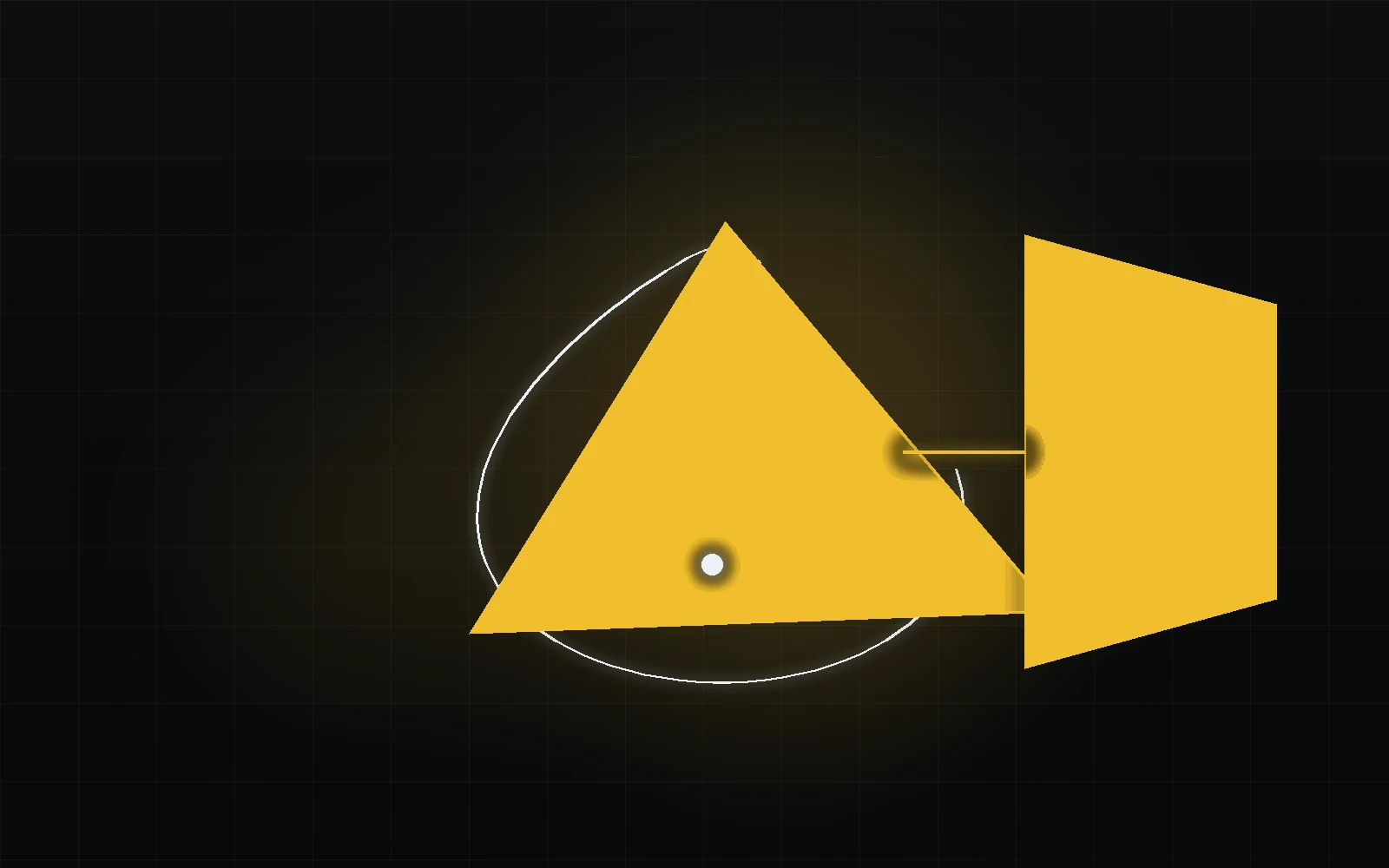 TOPIC ILLUSTRATION
THE ESSENTIAL IDEA
DCI-P3, P3-D65 and Display P3
“P3” alone does not fully describe a file. Establish white, transfer, output conditions and delivery format, especially between web, video and cinema.
- Separate P3 primaries, DCI white and D65.
- Do not equate Display P3 with gamma 2.6.
- Distinguish P3 monitoring from DCDM encoding.
Why cinema needed a gamut wider than Rec.709
P3 originated in digital cinema but now appears in several colour definitions. A shared primary triangle does not make a theatrical projector, web artwork and an HDR master the same format.
Establish the target first: conventional SDR cinema, a Display P3 file, or monitoring with P3 primaries. This chapter treats the conventional cinema path separately from HDR extensions. A P3 label cannot replace a delivery specification.
What this means in practice
Follow “deliver P3?” with “which white, encoding and viewing destination?”
P3 primaries: one geometry shared by several P3 variants
P3 variants share R (0.680, 0.320), G (0.265, 0.690), B (0.150, 0.060). Blue matches sRGB/Rec.709; red and green differ.
Primaries define linear basis directions. The white point determines their scaling so equal RGB yields the intended white. Changing DCI white to D65 leaves the triangle unchanged but changes the RGB ↔ XYZ matrix. This is numerically testable without relying on a swatch’s subjective appearance.
What this means in practice
Choose a neutral sample and compare whites at the same 2.6 power: XYZ changes while input RGB stays the same.
DCI-P3: cinema white is not D65
Conventional D-Cinema uses reference white near (0.314, 0.351) and an SDR screen-white reference of 48 cd/m². D65 has different coordinates: (0.3127, 0.3290). This describes white chromaticity, not just a preset colour temperature.
Moving an image between whites requires an explicit adaptation decision. The experiment offers linear Bradford adaptation to D65 for preview. That is a selected mathematical model, not a simulation of visual adaptation in a theatre.
What this means in practice
With adaptation disabled, source XYZ is previewed through fixed sRGB/D65. Do not assume the apparent tint is a file defect.
Why 2.6 appears in digital cinema
A 2.6 power response belongs to its corresponding theatrical context. Display P3 instead uses the piecewise sRGB transfer. Selecting “P3” without specifying the transfer leaves a major part of interpretation undefined.
The lab keeps input codes fixed while changing the definition. Grey code 0.5 decodes to about 0.214 with sRGB and 0.165 with a 2.6 power. Linear values differ before white-point handling even begins. This demonstrates interpretation, not colour-preserving conversion.
What this means in practice
To isolate the transfer function, compare Display P3 and P3-D65 / 2.6: both use the same white.
Important correction: a DCP/DCDM is not stored as RGB DCI-P3
In the conventional digital-cinema chain, DCDM imagery is described as nonlinear X′Y′Z′ with 12-bit components. P3 relates to reference reproduction, not a claim that every DCP simply contains P3 RGB.
Creating a theatrical package involves more than selecting an export space: conversion, encoding, packaging, format checks and viewing are all involved. This chapter explains RGB versus X′Y′Z′; it does not replace a DCP acceptance procedure.
What this means in practice
Do not deliver a P3 RGB file as a finished DCP merely because its profile mentions cinema.
P3-D65: the same primaries with a D65 white
P3-D65 specifies P3 primaries and D65 white, not a complete transfer function or image state. One context may pair it with a power function; another may use PQ or a different explicitly defined system.
The lab deliberately labels its “P3-D65 / 2.6” option in full. It is one selected comparison profile, not a definition of every possible P3-D65 signal. This avoids inferring gamma automatically from a gamut name.
What this means in practice
Complete a P3-D65 brief with transfer, luminance target and file format.
Display P3: P3 primaries + D65 + the sRGB transfer
Display P3 combines P3 primaries, D65 and the sRGB transfer. It is a defined display space, distinct from a DCI-white/2.6 profile.
A real conversion decodes source values, transforms coordinates with white adaptation when needed, then encodes for the destination. Copying old RGB values into another definition assigns a different meaning; it does not preserve the original colour. This connects the chapter to “A tag is not a transform”.
What this means in practice
On a neutral ramp, transfer differences become visible before gamut differences on saturated red.
Why Display P3 is associated with Apple — and why it is no longer Apple-only
On the web, Display P3 has an explicit CSS notation and can be used for colour-managed imagery. What matters is format support, interpretation and actual viewing-path capability, not a device brand.
Prepare a correct source, then test wide and conventional viewing paths. Accepting a P3 file does not mean reproducing all its chromaticities. Do not alter artwork to compensate with artificial saturation after its profile was lost.
What this means in practice
Testing should include a readable fallback, not only an impressive view on one wide-gamut screen.
Why HDR masters often use a P3-D65 creative gamut inside a Rec.2020 container
An HDR pipeline must distinguish signal space, mastering limiting gamut and the display’s actual colour volume. An image can use BT.2020 signal primaries while its actual colours remain within P3-D65; there is no contradiction.
PQ or HLG, target luminance and output rendering cannot be inferred from “P3”. These properties must agree across file and viewing paths. Neither a P3 profile nor a larger diagram triangle creates highlight detail missing from the source.
What this means in practice
Having a P3-capable display does not remove the need to verify how it interprets and renders the actual HDR signal.
Display P3 coverage: 95% is not a universal guarantee of accuracy
A coverage percentage describes one chosen gamut comparison. It does not verify white accuracy, tone response, uniformity or reproduction across luminance levels. Area on xy and reproducible colour volume are different measures.
Our diagrams do not produce a “monitor quality percentage”: the browser experiment cannot establish it. Evaluating a working display requires measurements and verification in its intended operating mode, not a single advertised percentage.
What this means in practice
A triangle helps explain coordinates; it cannot replace a display measurement report.
What to choose in Resolve: DCI-P3, P3-D65 or Display P3
Define the destination before configuring the project: Display P3 artwork, a specific P3 monitoring profile, conventional cinema or HDR output. Then verify gamut, white, transfer and source image state separately.
Timeline working space need not match output space. Apply the required conversion once at a known point. Keep a test with a neutral ramp, saturated colours and an output description so the recipient does not select profiles by appearance.
What this means in practice
Record “P3 + sRGB transfer” and “P3 + Gamma 2.6” as different technical briefs.
A MODEL YOU CAN CHECK
Specify the complete P3 definition.
Keep the meaning, the calculation and the limitation together.
XYZ = M(P3, white) × decode(RGB codes)The lab deliberately keeps codes fixed and changes interpretation. Optional Bradford → D65 is separate. This is not a DCP converter or a display test.
| Concept | What it describes | What not to conclude |
|---|---|---|
| Display P3 | P3 + D65 + piecewise sRGB transfer. | Not DCI-white cinema projection. |
| P3-D65 / 2.6 | Same primaries, D65 and explicit power 2.6. | Not a synonym for Display P3. |
| DCI white / 2.6 | White (0.314, 0.351), reference power response. | Not a complete DCDM description. |
| DCDM X′Y′Z′ | A separate conventional digital-cinema representation. | Not an arbitrary RGB file labelled P3. |
DO. OBSERVE. EXPLAIN.
Identify exactly what changed.
Choose the neutral 0.5 sample and disable adaptation. Numeric results matter more than a swatch on an unknown display.
- 01
Transfer at a fixed white
With neutral 0.5 codes, compare Display P3 and P3-D65 / 2.6. Keep adaptation disabled for this comparison.
CHECKWhite is unchanged; linear values and Y differ.
- 02
White at a fixed transfer
Switch to DCI white / 2.6 while keeping the neutral sample. Compare original XYZ and point position.
CHECKThe primary triangle remains; neutral chromaticity changes.
- 03
Explicit adaptation
Enable Bradford → D65, then choose a coloured sample.
CHECKAdapted XYZ is separate from original XYZ; the neutral sample can verify the move to D65.
- 04
Clarify delivery
Write a web or cinema delivery description: primaries, white, transfer, format and viewing.
CHECKThe specification does not say merely “P3”: the recipient knows the white, transfer and delivery format.
Check your understanding
TEST THE EXPLANATION
A situation, not a trick question.
Answer first. Open the reasoning afterwards.
01Why do Display P3 and DCI P3 produce different neutrals?+
Both transfer and white may differ. The lab isolates the causes; it is not simply “more saturation”.
02A monitor accepts P3. Does it fully cover it?+
Acceptance and physical reproduction differ. Coverage needs measurement and methodology, not only input compatibility.
03Can ordinary Display P3 video be delivered as cinema content?+
Not without recipient requirements and proper preparation. Conventional DCDM/DCP has separate representations and technical constraints.
Avoid these shortcuts
- Calling every P3 file DCI-P3.
- Treating a browser swatch as a projector measurement.
- Reassigning white without a deliberate transform.
From the model to your workflow.
In production, identify the source, transform placement and required output separately. The lab verifies a bounded mathematical model; it does not measure your display, replace project settings or certify an exported file.
CHECK THE FOUNDATION
Sources and model limits.
Editorial review: 1 October 2026. Links identify the definitions and formulas; exercises are independent teaching examples.
- [4]ICC · sRGB ↗
Primary coordinates and D65; piecewise sRGB transfer function.
- [5]ICC · Display P3 ↗
P3, D65 and the sRGB transfer: a distinct definition, not DCI-P3.
- [6]ICC · DCI P3 ↗
P3 primaries, white variants and the 2.6 power function for the corresponding display profile.
- [7]DCI · Digital Cinema System Specification ↗
Checked archival version 1.4.1: conventional SDR D-Cinema, DCDM, X′Y′Z′ and 12 bits. Not a review of newer DCI HDR extensions.
- [8]ITU-R · BT.2020-2 (2015) ↗
Tables 3–5: UHD colorimetry, OETF, component-signal variants and quantization.
- [9]ITU-R · BT.2100-3 (2025) ↗
HDR television parameters. PQ/HLG are not implied by the BT.2020 gamut label alone.
- [10]W3C · CSS Color 4 ↗
Candidate Recommendation Draft, 30 September 2026: explicit CSS spaces, interpolation and gamut mapping. A work in progress.
- [11]ICC · Chromatic adaptation ↗
Linear Bradford: the explicit white-adaptation model used by the P3 laboratory.
- [17]Academy · ACES 2 Output Transform ↗
Rendering Transform and Display Encoding; JMh, tone and colour compression. The lab does not implement this Output Transform.
- [21]Blackmagic Design · Color ↗
Color and colour-management context. Setting names and locations depend on Resolve version and configuration; live projects were not tested here.