KNOWLEDGE MAP · DISPLAY & PROFILES
Trust the verification. Not a single checkbox.
Choose a display target, distinguish calibration from profiling and read a report without overclaiming. Explore synthetic data first, then verify your own signal path with an instrument.
Read the numbers. Notice the assumptions. Then apply the idea to your footage.
Read the deviation.
Records, formula and conditions
Source records are fixed within each scenario. Changing the target changes the comparison; it does not “calibrate” the report.
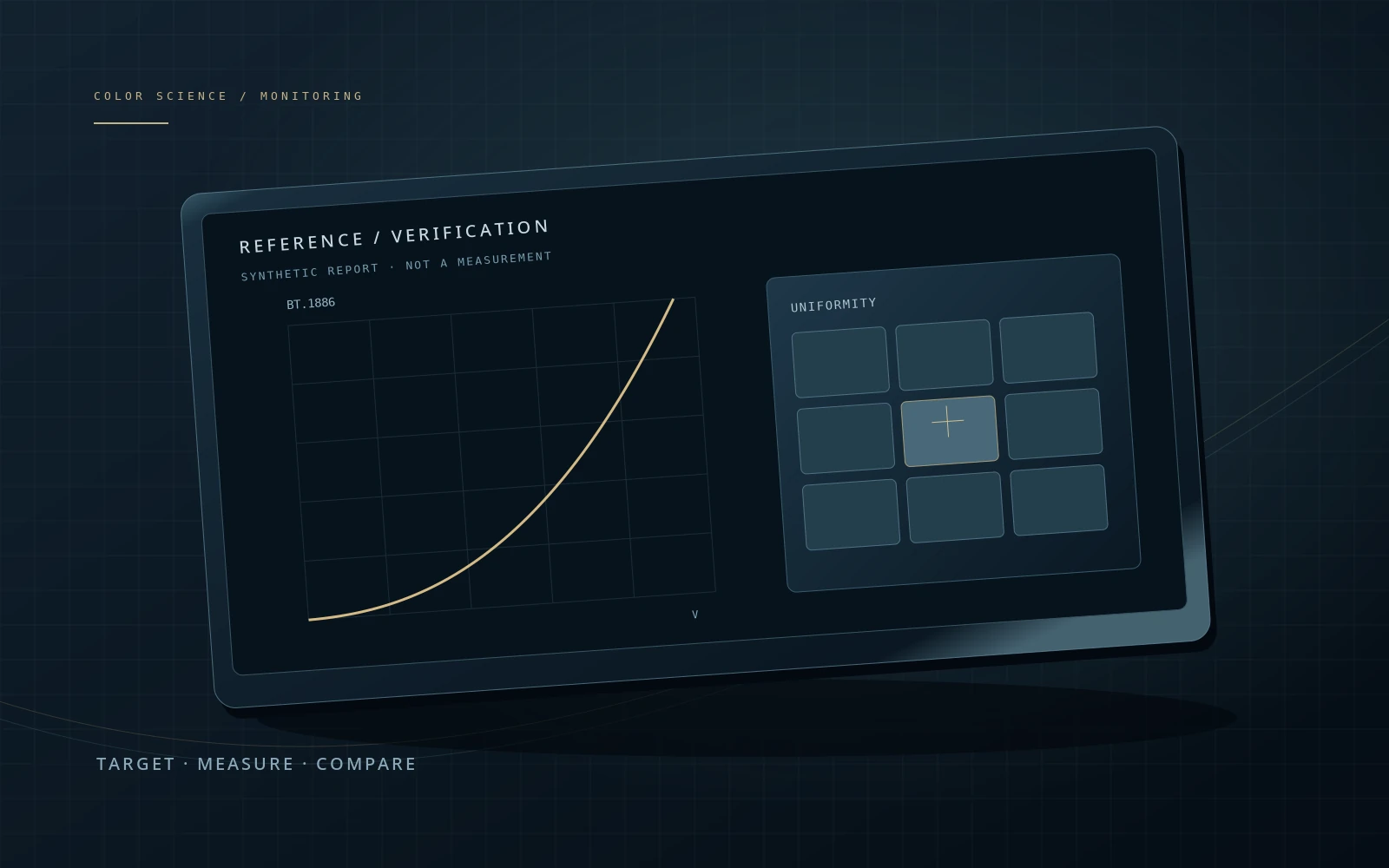
L(V) = [V · (Lw^(1/2.4) − Lb^(1/2.4)) + Lb^(1/2.4)]^2.4| V | Target cd/m² | Report cd/m² | ΔY cd/m² |
|---|---|---|---|
| 0.00 | 0.050 | 0.050 | 0.000 |
| 0.05 | 0.309 | 0.309 | 0.000 |
| 0.10 | 0.861 | 0.861 | 0.000 |
| 0.25 | 4.776 | 4.776 | 0.000 |
| 0.50 | 20.919 | 20.919 | 0.000 |
| 0.75 | 51.842 | 51.842 | 0.000 |
| 1.00 | 100.000 | 100.000 | 0.000 |
Centre white: x = 0.31270, y = 0.32900. White/black ratio: 2000:1.
Samples are synthetic. Black chromaticity is unspecified. The mean error covers only these seven levels, without weights. A real report needs conditions, an instrument, repeatability and agreed tolerances.
This does not measure your screen. 100 cd/m² and 0.05 cd/m² are the initial conditions of this teaching report, not universal recommendations. BT.1886 is an SDR reference response; these numbers do not automatically apply to HDR.
 TOPIC ILLUSTRATION
THE ESSENTIAL IDEA
Monitoring, calibration and display verification
A correctly calculated file does not guarantee correct light from a screen. You need a defined signal path, a stable display state and verification. A report connects a known input to a measured output; one attractive graph cannot describe the entire system.
- Separate adjustment, characterisation and verification.
- Read luminance, chromaticity, tone response and uniformity separately.
- Build a reproducible protocol without hiding a viewing fault in the master.
Verify the path, not just the panel
Between project pixels and emitted light, the application view transform, operating system, graphics output, video interface and display mode can all matter. Draw your own connection diagram first. Mark the output transform and the location of calibration correction.
The desktop Viewer and a dedicated video output are not automatically the same path merely because they share a computer. Blackmagic describes DeckLink and UltraStudio as professional output options. That does not eliminate the need to verify signal range, display mode and the final result. A verification patch must travel through the path used to judge the work.
What this means in practice
Verifying the desktop does not verify an HDMI input on which a television has selected a different picture mode. Keep separate reports before comparing their numbers.
Calibration, profiling, verification
Calibration adjusts device behaviour using controls or correction. Profiling characterises the behaviour in a particular state. Verification compares the result with a stated target. A software package may perform all three consecutively, but one button does not make them the same operation.
Ask three questions: what changed, what was characterised and what was checked again? A profile built yesterday is not a measurement taken today. Even a correctly loaded file may describe a different brightness setting. Store the settings, profile identifier and verification report as separate pieces of evidence.
What this means in practice
After switching from mode A to B, do not merely rename profile A. Establish whether it describes B and measure again when necessary.
Choose the target before measuring
A target should answer the production question: primaries and white point, SDR or HDR response, white luminance, surround and acceptance criteria. A gamma number without these conditions is an incomplete specification. Do not transfer print-proofing settings to a video master simply because both are called professional.
The lab initially compares against D65, white at 100 cd/m², black at 0.05 cd/m² and BT.1886. These are declared teaching conditions, not universal instructions. EBU defines several monitor grades and multiple characteristics; matching one example on this page cannot establish a monitor grade.
What this means in practice
Change target white from 100 to 120 cd/m² in the lab. Recorded values stay fixed: you changed the comparison target, not the device.
Surround and a stable state
Before measuring, define the working position, lighting, display mode and stabilisation time specified by the device procedure. Avoid accidental changes during a series: SDR/HDR switching, energy saving, automatic brightness or unplanned dynamic processing. Preserve the intended production mode rather than indiscriminately disabling every feature.
A reflected window changes viewing conditions, but a contact measurement may not capture its effect as an observer sees it. Record the surround separately. Real footage is useful after measurement to expose practical problems; it does not replace known input values and an instrument.
What this means in practice
If calibration was performed at night but grading happens beside a bright morning window, restore the agreed surround before compensating by increasing every clip’s contrast.
The instrument has conditions too
A colorimeter estimates colour through spectrally weighted channels; a spectral instrument provides additional information about emitted spectra. The important question is not just whether a device is called a calibrator, but whether its response, correction and measurement limits fit the display. ArgyllCMS explicitly documents colorimeter corrections for different emission spectra.
Record the instrument, correction, geometry, integration time and near-black limitations. Extra decimal places do not create accuracy. Two instruments disagreeing does not automatically identify a faulty display: compare conditions, repeatability and spectral corrections first.
What this means in practice
When changing backlight technology, do not reuse an unknown correction merely because the screen size matches. Its provenance belongs in the report.
Luminance and response shape are different checks
A white patch checks one endpoint, not the reproduction of mid-levels. BT.1886 depends on the specified black and white; with nonzero black it is not simply Lw·V^2.4. The lab computes its target independently of fixed synthetic report samples.
Inspect error units as well as apparently overlapping lines. A 1 cd/m² difference near white and near a dark patch has a different relative scale. This page explicitly normalises to target white rather than inventing a gamma-accuracy score. V is the normalised signal after correct digital-range interpretation, not scene exposure.
What this means in practice
In the drift report, move target white towards 128 cd/m². Matching white need not align the mid-curve: one adjustment does not fix every characteristic.
White point and the neutral ramp
White chromaticity answers a different question from luminance. Keep x,y or u′,v′ alongside Y and the chosen observer. Correlated colour temperature alone does not specify which side of a locus the white lies on. Check several grey levels too: a correct white does not rule out a midtone cast.
The lab’s Δu′v′ is only chromaticity-coordinate distance. It is neither ΔE2000 nor a universal visibility prediction. Near black, weak signals make chromaticity estimates sensitive to noise; the black patch in this model intentionally has no reported chromaticity.
What this means in practice
One report can have excessive luminance but matching chromaticity; another can match luminance while shifting white. These are different faults, not one interchangeable colour error.
The centre does not describe the edges
Uniformity requires a separate spatial series. In this nine-zone example, every zone receives the same nominal white and is compared with the centre. The denominator is explicit: −15% at a corner means 85 cd/m² against a 100 cd/m² centre, not a 15% error in every film pixel.
Sequential zone readings can mix spatial differences with temporal drift. A real protocol benefits from repeated centre readings and a recorded measurement order. Patch size, duration and dynamic backlight behaviour are also conditions. A successful centre measurement does not establish a uniform field.
What this means in practice
Select the uniformity report. The centre response still matches the baseline while the corners do not. A tone-response check cannot replace a field map.
Where correction is applied
Internal display correction, output-signal correction and an ICC-based colour transform have different roles. Identify which chain produces the picture in a particular mode. A profile appearing in system settings proves neither that an application uses it nor that the required calibration correction reaches a separate output.
The opposite mistake is applying the same correction twice. Use a known test signal and name each operation rather than randomly toggling options. Record LUT and loader state, device mode and destination profile. Recheck the stored preset after changing display inputs.
What this means in practice
If verification through the measurement application is good but a second output differs, verify through that second output before justifying a new grade.
Read a report without false confidence
Read the report header first: device, mode, date, instrument, correction, patch set and target. Then examine neutrals, saturated samples, range extremes and repeatability separately. An average can hide a few poor samples; a maximum without identifying the sample offers little diagnosis.
Checking ICC-file structure or numerical transform round trips does not measure the current monitor. ICC lists those as distinct assessment tasks; success in one does not validate everything else. A ΔE result needs a formula and conditions. The lab’s luminance-error ramp is not a substitute for coloured-patch verification.
What this means in practice
“Average ΔE below two” without a formula, patch list or display state is incomplete. Request the conditions rather than debating a single number.
Why SDR verification does not establish HDR performance
HDR needs verification in the corresponding signal and display mode. Peak luminance from a small patch is not the entire story: area, duration and the distribution of bright regions matter. Production-monitor requirements extend beyond an HDR-support label.
This lab is limited to a static SDR report. It does not measure automatic brightness limiting, local dimming, colour volume, latency or motion artefacts. An omitted test is not a positive result. State explicitly which behaviours were tested and which remain outside the procedure.
What this means in practice
An SDR grey-ramp report does not become HDR verification when PQ is enabled. The corresponding path requires a new check.
When to repeat and what to keep
Control intervals should follow production requirements and observed stability, not one universal schedule. Material changes in mode, connection, firmware, driver, lighting or correction justify checking the affected path again. Saved reports help distinguish gradual drift from a sudden configuration error.
A useful log records the target, complete output path, display settings, correction and profile identifiers, instrument, conditions and control readings. Before an important delivery, a short known-patch check can reveal a lost state. It is not a substitute for full verification, but it can show that yesterday’s setup is no longer reproducible.
What this means in practice
If a control patch changes while the project does not, restore and compare the setup before making timeline-wide colour adjustments.
A MODEL YOU CAN CHECK
Each check supports a different conclusion
Keep the meaning, the calculation and the limitation together.
L(V) = [V·(Lw^(1/2.4) − Lb^(1/2.4)) + Lb^(1/2.4)]^2.4Equivalent BT.1886 form for 0 ≤ V ≤ 1 and 0 ≤ Lb < Lw. Row error: 100·(Lreport − Ltarget)/Lw. This is a percentage of target white, not ΔE. Every input report in the lab is synthetic.
| Concept | What it describes | What not to conclude |
|---|---|---|
| White | Y and chromaticity for a stated white signal. | Does not describe midtones or uniformity. |
| Tone response | Input-to-luminance relationship at a selected location. | Does not verify every coloured sample. |
| Uniformity | Spatial differences for the same test input. | Sequential readings may include temporal drift. |
| ICC profile | Characterisation or a transform under stated conditions. | File existence does not establish the current device state. |
| Verification | Result of a separate check against known samples. | Does not certify untested modes or properties. |
DO. OBSERVE. EXPLAIN.
Read the report without moving the goalposts
Begin with the lab: the teaching exercise needs no instrument. Verifying a real display requires a suitable instrument and a separate procedure. Do not adjust your monitor by matching this page’s swatches.
- 01
Fix the target
Keep D65, 100 and 0.05 cd/m². Select the baseline report, open all rows and record V, target and report value at V = 0.5.
CHECKI can name the units and distinguish normalised signal from light.
- 02
Change only the comparison
Move target white to 120 cd/m². Check that report samples remain unchanged, then return to 100.
CHECKI understand why recalculating error does not calibrate a screen.
- 03
Separate two faults
Compare Drift and Uniformity. Inspect the curve and white in the first, then select a corner on the field map in the second.
CHECKI do not replace response verification with a single white patch.
- 04
Document your path
Without changing settings, draw your path from application to screen. Mark what is known and what needs instrument verification.
CHECKI do not present synthetic data as a measurement of my device.
Check your understanding
TEST THE EXPLANATION
A situation, not a trick question.
Answer first. Open the reasoning afterwards.
01The curve matches but a corner is darker. Did calibration fail?+
The centre-response check does not cover spatial uniformity. Confirm identical input, conditions and repeatability, then assess the separate uniformity criterion. One overall pass/fail label without stated requirements is not useful.
02The profile passes a file check. Is the monitor accurate?+
No: that checks the file, not the current emitted light. You need the matching display state, the intended transform path and instrument verification. These are separate claims.
03Can changing target white reduce the reported error?+
It can change the error number, not the original reproduction. That is appropriate only when the production target genuinely changes, not as a way to declare an old check successful. The lab intentionally keeps samples fixed.
Avoid these shortcuts
- Treating an installed ICC file as verification.
- Applying SDR example values to every HDR mode.
- Correcting a viewing fault by changing the master.
From the model to your workflow.
In Resolve, distinguish project processing, the Viewer and a separate video output. Verify through the actual evaluation path. This chapter prescribes neither universal settings for a Resolve version nor EBU compliance for hardware.
CHECK THE FOUNDATION
Sources and model limits.
Editorial review: 2 October 2026. Links identify the definitions and formulas; exercises are independent teaching examples.
- [1]ICC · Display calibration ↗
Calibration, profiling, controls and measurement conditions.
- [2]EBU · Tech 3320, v4.1 ↗
Requirements for production video monitors. The lab’s illustrative values are not EBU certification criteria.
- [3]ITU-R · BT.1886 ↗
Reference HDTV display EOTF, including finite black and white luminance.
- [4]ArgyllCMS · Wide-gamut displays and colorimeters ↗
Spectral dependence of colorimeter readings and instrument correction.
- [5]ArgyllCMS · dispcal ↗
Calibration parameters, verification passes and measurement modes. Documentation, not an automatic calibration recipe.
- [6]ArgyllCMS · dispread ↗
Presenting known patches and recording instrument measurements with a defined signal path.
- [7]Blackmagic Design · Color monitoring ↗
Professional input/output options. An output device does not itself measure or calibrate a display.
- [9]ICC · Why the display-profile white is D50 ↗
The ICC.1 PCS, normalisation and chromatic adaptation.
- [10]ICC · Goals for profile assessment ↗
Structural conformance and transform assessment are different checks, not a measurement of the current display.
- [16]Microsoft · Advanced Color and ICC profiles ↗
Interaction between automatic Windows colour management and ICC applications.
- [18]Apple · Check and repair profiles ↗
Checking profile integrity in ColorSync, separately from reproduction accuracy.
- [19]OpenColorIO · Displays and views ↗
Separating the working representation from a viewing transform.