KNOWLEDGE MAP · PRECISION
Not a magic look. A table with a contract.
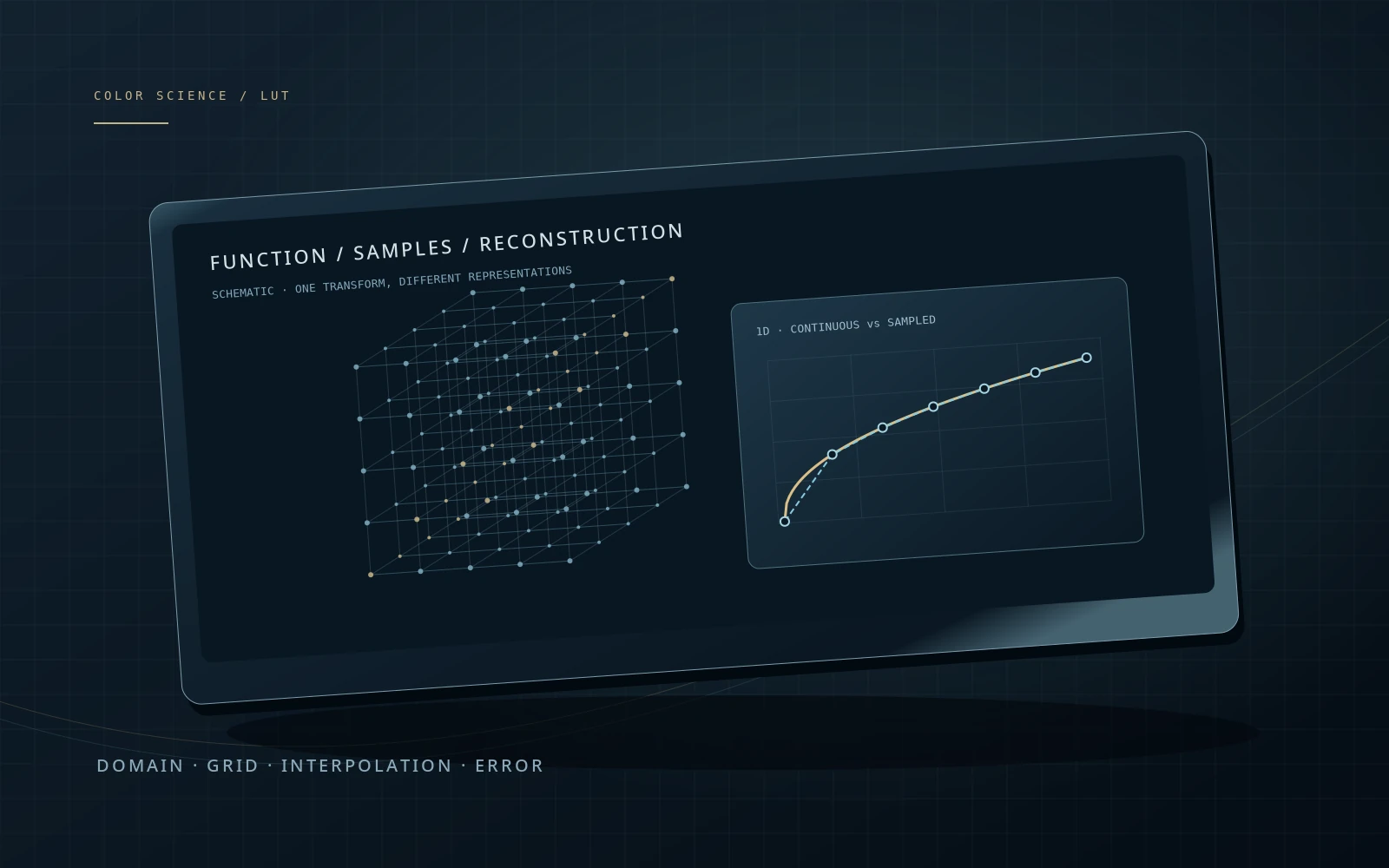
Compare a function with its sampled approximation. Change the grid, interpolation and domain, then inspect where error appears.
Read the numbers. Notice the assumptions. Then apply the idea to your footage.
A function. Its approximation.
Target: the sRGB encoding function. Nearest is a deliberately coarse comparison; the table stores floating-point samples, not 8-bit codes.
What is being calculated?
1D: store f at sample positions, locate the interval and interpolate. 3D: sample a 3D grid and interpolate inside one cell. Every change rebuilds or samples the actual table. No LUT file is uploaded or parsed.
s(x) = x²(3 − 2x)
R′ = .86s(r) + .10s(g) + .04s(b) + .06rg(1−b)
G′ = .04s(r) + .92s(g) + .04s(b)
B′ = .08s(g) + .92s(b)
R′/G′/B′ denote the output of this custom function here, not video transfer encoding. Sampled maxima are diagnostics of the stated test grid, not a proof of the largest possible error.
 TOPIC ILLUSTRATION
THE ESSENTIAL IDEA
LUTs: structure, precision and limits
A LUT stores outputs for selected inputs. Between them, the application reconstructs a result by interpolation. A table can describe a technical transform or a look, but cannot identify the image representation it receives.
- Separate input, sampling and domain-clipping errors.
- Understand what a 1D LUT cannot do in place of a 3D LUT.
- Check an exported table at independent input values.
What a LUT stores
Start with a function: a known input produces a calculated output. A table keeps only selected pairs. A 1D table samples one axis; a 3D table samples an RGB volume. An intermediate input need not be stored in the file: interpolation reconstructs its result.
“LUT” describes a representation, not an artistic purpose. An identity LUT changes nothing. Another table encodes a tone curve. A third combines camera normalization, contrast and saturation. Without an input/output description, an identical file format says little about intent. Some analytical operations can be represented exactly; others are approximated. The error has to be checked.
What this means in practice
The 1D experiment uses the sRGB encoding function as its reference. Differences between the continuous curve and reconstructed samples are table errors, not a new artistic style. Nearest-sample mode deliberately demonstrates crude reconstruction.
Define the input and output first
Before applying a table, record input primaries, white, encoding and domain. Establish the same for its output. A name such as “Cinematic 709” does not tell you whether the table expects LogC, S-Log, normalized Rec.709 or another representation. A correctly exposed shot in the wrong encoding still addresses the wrong samples.
A camera model is insufficient: curve generations and primaries may differ. Placement, a preceding shaper and any output rendering already applied also matter. Increasing table size cannot repair a wrong input. An undocumented table is an unknown transform, not a universal preset.
What this means in practice
In a DWG/Intermediate project, a LUT designed for a particular camera log needs a deliberate input match. Do not add transforms blindly: first establish what the project already does outside the clip nodes.
1D and three independent curves
A simple table applies one function to each component. A 3×1D table provides a separate curve for R, G and B. Both remain channel-independent: output R depends only on input R. This suits independent tone responses, but cannot replace an arbitrary operation coupling the channels.
If output red must change with input green, an independent red curve is insufficient. A channel-mixing matrix or selective hue change generally requires another model. Increasing 1D length does not remove this structural limitation. A very long table of the wrong type remains the wrong type.
What this means in practice
Take two RGB inputs with the same R and different G. An independent 1D red curve returns the same output R. The 3D experiment contains cross-channel terms and may return different results.
Cube size: nodes, components and bit depth
A uniform 3D LUT has N samples on each input axis. It contains N³ nodes, each storing an output triplet. A 17³ grid stores 4,913 triplets and a 33³ grid 35,937. This does not limit an image to seventeen levels: values between nodes are interpolated.
Node count and stored-value precision are different parameters. A large grid with coarsely rounded values can behave differently from a smaller adequately precise grid. Also compare format, axis order, domain and the application’s actual algorithm. Do not infer the row order of a text file from its appearance.
What this means in practice
The lab’s node count is N³, not a video file size. Changing blue selects a different slice through the same three-dimensional transform.
What happens between nodes
Linear 1D interpolation mixes two neighbouring outputs. Trilinear interpolation works along three axes using eight cell corners. Tetrahedral interpolation selects a tetrahedron within the cell and uses four vertices. Both need consistent handling of boundaries and exact node hits.
Do not choose a method on an “always better” promise. Error depends on the function, grid and test inputs. Methods can nearly agree on one transform and diverge on another. API labels such as BEST and DEFAULT are not fixed mathematical specifications either: state the method explicitly for reproducibility.
What this means in practice
In 3D mode, switch algorithms without changing the function or grid. Numerical error is measured in linear output RGB. The difference map is amplified ×20 only for viewing; it is not ΔE or an acceptance threshold.
Why a shaper is useful
A uniform grid is uniform in a chosen coordinate, not necessarily in light or exposure stops. Over a broad linear range, shadows may receive too few samples. A shaper changes the coordinate used to address the table, redistributing the sampling density.
The table must be built for that coordinate. Arbitrarily placing log before a table constructed for linear input does not preserve the result. Baking samples the target through the inverse shaper; evaluation uses the corresponding forward shaper. Zero and negative values need a defined treatment rather than an arbitrary logarithm.
What this means in practice
Our shaper u = ln(1+x)/ln(1+D) is defined for nonnegative x. At D = 16 it places more nodes near zero. This is a teaching construction, not LogC, ACEScct or a built-in OpenColorIO shaper.
The domain boundary and lost information
A finite table domain requires a policy outside it: clamping, extrapolation or another specified format/application behaviour. This lab explicitly clamps inputs to the boundary. The original value and an out-of-domain flag remain visible.
When several inputs collapse to one boundary output, a denser grid cannot recover them. An inverse table cannot determine which original value was lost either. Distinguish clipping at the LUT input, its output values and separate preview clipping. Values outside 0…1 are not automatically erroneous in a mathematical pipeline, but require a defined downstream policy.
What this means in practice
Set input 4 and domain 1 in the shaper experiment. Inputs 4 and 1 share a table output. Moving from 17 to 65 samples leaves that loss intact; expanding the domain to 16 solves a different problem from adding nodes.
Precision: test more than a grey ramp
A ramp reveals discontinuities and crude interpolation, but traverses only a small part of the RGB volume. A 3D transform needs coloured ramps, saturated areas, neutrals and independent points inside cells. Testing nodes alone is overly favourable: a correctly baked table matches the reference exactly there.
Compare the original processor and exported table with identical input, reader method and pipeline placement. Check floating-point outputs first, then final quantization and display. Avoid rebuilding from an already coarse table unnecessarily: a new filename does not remove accumulated error. Mean error does not replace inspecting the worst regions.
What this means in practice
The 1D lab samples 513 inputs. The 3D lab checks the current 192×96 slice. Its maximum is not described as a whole-cube maximum: untested coordinates remain untested.
Technical transform, look and output
A technical table addresses a specific representation change. A creative table defines desired color and tone relationships. A display LUT may contain part or all of the viewing preparation. One table can combine these roles, so bypassing it does not necessarily remove only a “look”.
Do not reduce the intensity of an unknown technical transform as though it were an ordinary effect: mixing original and transformed images may mix numbers belonging to different representations. Separate technical stages from creative processing first. Establish whether the table includes output rendering and whether the color-management system repeats it. A wide working pipeline does not guarantee a wide domain in every inserted table.
What this means in practice
If bypassing a “look” returns a flat log image, the table may be doing more than one job. Do not treat appearance as proof: check the documentation and transform order.
What an ordinary LUT cannot represent
An ordinary RGB → RGB table is pointwise: the same RGB input under the same settings produces the same output regardless of position or neighbouring pixels. It does not recognize faces, track motion or derive a content-dependent mask. Blur, denoising and local contrast require additional information.
A LUT can be applied through an external mask, but that does not store the mask inside the table. Likewise, CLF can carry a sequence of mathematical color operators without becoming a container for an arbitrary edit. Inspect the operation before baking and verify what the export actually contains.
What this means in practice
A Resolve node containing a LUT and Power Window is more than a LUT file. Sending the table alone does not transfer window geometry, tracking or position animation.
Verify a table before handoff
Freeze the source processor and test inputs. Export the table, read it back using the recipient’s intended path and compare without creative compensation. Start with identity, black, white and neutrals, then examine coloured points and boundary neighbourhoods.
Separate transform error, file quantization and display output in the report. Matching one configuration does not validate every other mode. Before using ΔE, put both branches into a consistent colorimetric representation. A raw RGB difference is useful for implementation checks, but is not automatically a perceptual difference. Do not try to cure an incorrect input by selecting another interpolation method.
What this means in practice
A baked LUT matches all 17³ nodes but differs between them. Investigate sampling and interpolation rather than declaring the original mathematical function incorrect.
Document the LUT and place it deliberately
Deliver a short manifest with the table: input, output, domain, shaper, interpolation, version, purpose, limitations and expected placement. Include a known patch or frame before and after processing. A filename does not replace this record. The .cube extension does not guarantee identical interpretation in every program.
In Resolve, first identify the representation entering the intended node. Check the project’s technical and output transforms. Put the LUT in a clearly named separate node, compare against a reference and play the whole shot. Menus and supported formats vary; this chapter explains a checking procedure rather than promising identical commands everywhere. Do not repair a viewing fault by altering the table itself.
What this means in practice
A manifest stating a specific log/gamut input, a working-representation output and “output transform not included” prevents errors that “cinematic LUT” cannot address.
A MODEL YOU CAN CHECK
One setting changes — but which problem?
Keep the meaning, the calculation and the limitation together.
ŷ = (1−t) · LUT[i] + t · LUT[i+1]
3D: N³ nodes × 3 components
The formula is linear 1D interpolation. Trilinear and tetrahedral evaluate an RGB cell differently. Table size alone specifies neither image bit depth nor accuracy throughout the volume.
| Concept | What it describes | What not to conclude |
|---|---|---|
| 1D / 3×1D | One or three independent component functions. | Not an arbitrary cross-channel transform. |
| 3D LUT | A sampled function of three input components. | Does not store spatial masks or motion. |
| Shaper | Changes sampling coordinates and node distribution. | Cannot be prepended to an unrelated table arbitrarily. |
| Domain | The input range sampled by the table. | Increasing N does not automatically expand it. |
| Interpolation | Reconstructs intermediate values. | Cannot correct a wrong input assignment. |
| ΔRGB | Numerical difference in a stated representation. | Not ΔE or a universal quality threshold. |
DO. OBSERVE. EXPLAIN.
Identify three different error causes
The lab is sufficient. For a Resolve exercise, use a project copy and a documented LUT; do not apply unknown tables to your only master.
- 01
Start between nodes
In 1D, set input 0.18 with 5 samples. Compare nearest and linear, then increase the grid to 65.
CHECKExplain why checking nodes alone would hide the error.
- 02
Check the color volume
Open 3D at 5³, vary B and both methods. Compare the slice and numeric error before display quantization.
CHECKThe current slice maximum is not a whole-transform maximum.
- 03
Separate domain from density
In shaper mode, set input 4 and domain 1. Increase N, then expand the domain to 16 and compare uniform/log at input 0.18.
CHECKMore nodes did not restore a clipped input; the matching shaper changed sample placement.
- 04
Write a transform manifest
Record input, output, domain, shaper, interpolation, version and what was excluded. Add a reference sample.
CHECKAnother person can reproduce the path without guessing from its appearance.
Check your understanding
TEST THE EXPLANATION
A situation, not a trick question.
Answer first. Open the reasoning afterwards.
01Why did 65³ not restore detail lost with 17³?+
Check domain and input clipping first. If different values already collapsed to one boundary, more interior nodes cannot recover them. Also rule out incorrect source encoding.
02The neutral ramp matches. Is the LUT validated?+
No: that checks only the RGB-volume diagonal. Test independent coloured inputs inside cells, saturated regions and boundaries. State which samples were actually checked.
03A face correction disappeared after LUT export. Is that a bug?+
Not necessarily. A mask, tracking and spatially dependent changes are not an ordinary RGB → RGB function. Check what the exporter can bake and transfer geometry separately.
Avoid these shortcuts
- Treating every LUT as a universal camera transform.
- Calling a larger N higher video bit depth.
- Judging accuracy only from a preview after clipping.
From the model to your workflow.
In Resolve, document the node input, project transforms and LUT purpose. The lab does not load external .cube/.clf files or emulate a Resolve version. Deploying a table needs a separate check in the actual application.
CHECK THE FOUNDATION
Sources and model limits.
Editorial review: 2 October 2026. Links identify the definitions and formulas; exercises are independent teaching examples.
- [1]Academy · Common LUT Format ↗
LUT1D, LUT3D, sample order, ranges and Appendix A interpolation. The laboratory target is not a CLF standard transform.
- [2]Academy · CLF implementation guide ↗
Distinguishing sampled tables from a sequence of precisely specified mathematical operators.
- [3]OpenColorIO · Baker ↗
Input, shaper, target, cube size and format when baking LUTs.
- [4]OpenColorIO · Baking LUTs ↗
LUT baking and the distinction between a processor and its interchange representation.
- [5]OpenColorIO · Interpolation enums ↗
Explicit interpolation selection. BEST/DEFAULT are not promises of an unchanging algorithm.
- [7]CIE · CIEDE2000 colour-difference formula ↗
Applicability and stimulus normalization. Not a universal tolerance for every HDR display.
- [12]ICC · sRGB registry ↗
Piecewise sRGB transfer, D65 and preview context.
- [14]Blackmagic Design · Color ↗
Nodes, color management and monitoring. Version-specific menus and live operations were not tested in this pass.