KNOWLEDGE MAP · PRECISION
Two colors. More than one number.
Change two samples’ coordinates. Inspect lightness, chroma and hue, then compare three color-difference formulas.
Read the numbers. Notice the assumptions. Then apply the idea to your footage.
Two samples. Three formulas.
50.0000 / 20.0000 / 20.000052.0000 / 23.0000 / 18.0000sRGB preview · not a display measurement
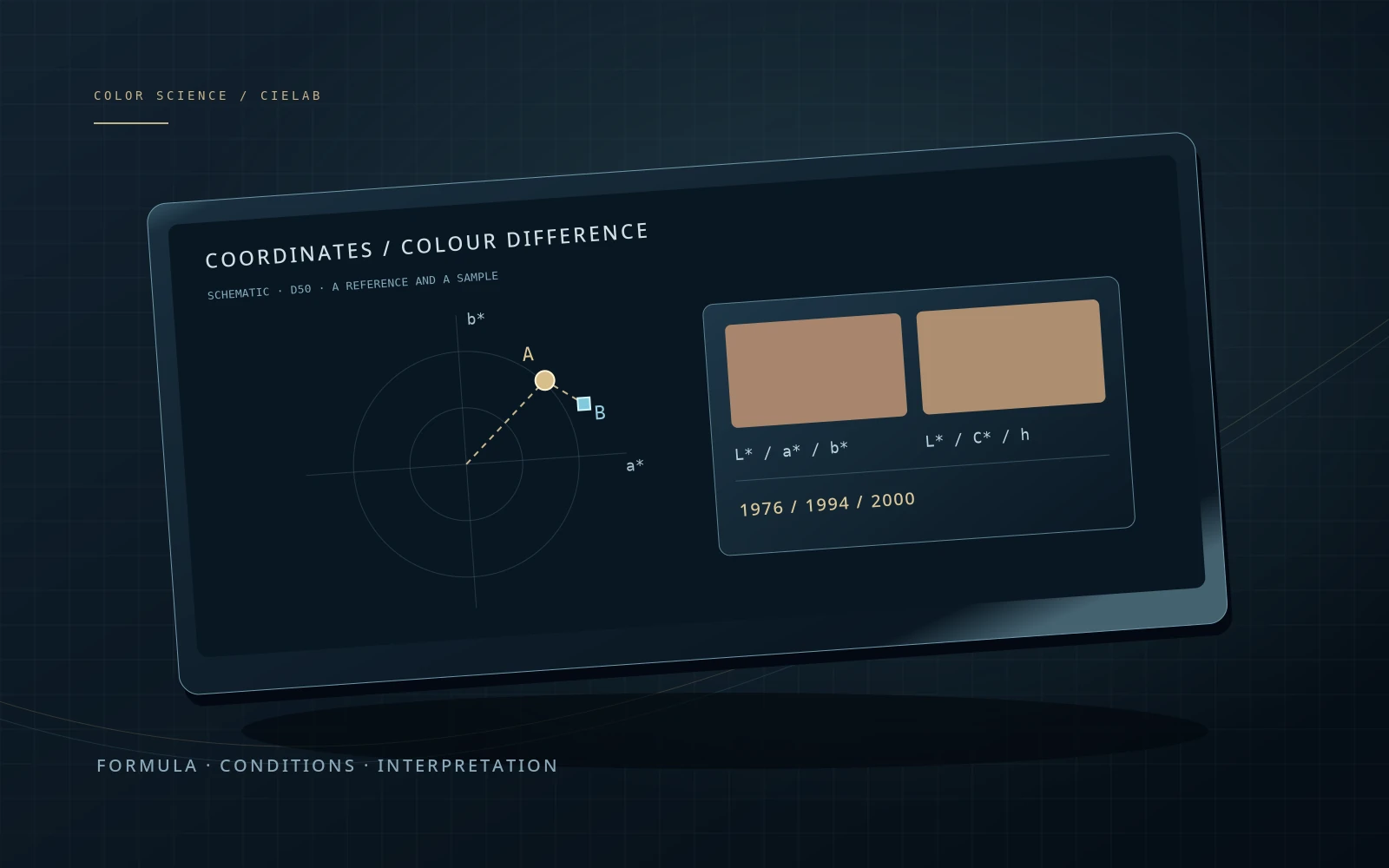
a*b* projection · L* shown separately
Fixed reference: D50, Yn = 1; coordinates must describe the same observer and measurement conditions. UI ranges are exploratory, not physical gamut limits. ΔE is not a percentage or a universal pass/fail threshold.
Coordinates, reference white and formula checks
XYZn D50: 0.9642957 / 1.0000000 / 0.8251046
XYZ A: 0.217765 / 0.184187 / 0.085100
XYZ B: 0.243662 / 0.201443 / 0.100809
ΔL* / Δa* / Δb*: 2.0000 / 3.0000 / -2.0000
Lab → XYZ(D50) → Bradford adaptation to D65 → sRGB is used only for display. The published blue pair gives ΔE00 ≈ 2.0425. All 34 Sharma/Wu/Dalal reference pairs are included in the automated mathematical tests.
CIE94 uses chroma of A as reference and can change when A/B are swapped. CIEDE2000 is symmetric for the same positive factors. Neither the connecting line on a*b* nor the preview is the colour-difference formula.
 TOPIC ILLUSTRATION
THE ESSENTIAL IDEA
CIELAB, LCh and color differences ΔE
Lab specifies three coordinates relative to a reference white; LCh expresses them cylindrically. ΔE is the result of a chosen comparison formula, not an error percentage, beauty score or automatic quality tolerance.
- Do not confuse L* with an RGB code or luminance in nits.
- State formula, white, observer and comparison conditions.
- Separate numerical validation from actual difference visibility.
Lab: lightness and two color axes
CIELAB derives coordinates from XYZ relative to a chosen reference white. L* represents model lightness; a* runs between green and red regions and b* between blue and yellow. These are not three light sources like RGB components, nor is L* the video luma component Y′.
The space makes approximate color differences more convenient, but is not perfectly perceptually uniform. Equal distances in different Lab regions need not appear equal. Do not confuse CIELAB with Hunter Lab, Oklab or an unspecified “Lab” setting: similar names do not imply identical formulas.
What this means in practice
Select identical neutral samples, then increase only the second sample’s L*. Their markers stay together on a*b*, but ΔE becomes nonzero. A planar projection does not show the full three-dimensional difference.
White, observer and units belong to the record
Normalizing XYZ by a reference white is part of the Lab calculation. Two triplets without conditions cannot safely be compared just because both say “Lab”. Align the observer, white and method used to obtain XYZ. Material comparisons depend on illumination and measurement geometry; displays depend on the signal path and viewing conditions.
Both lab samples use D50 and a consistent 2° colorimetric context, with XYZ normalized to Yn = 1. This does not switch the monitor to D50. Previewing separately adapts D50 → D65 and converts to sRGB. The numeric pair used for differences remains unchanged.
What this means in practice
If one program exports XYZ with Yn = 100 and another with Yn = 1, align scale and white first. Dividing sample values by 100 while forgetting the reference white produces a different calculation.
How XYZ becomes Lab
First form X/Xn, Y/Yn and Z/Zn. Each passes through a piecewise function: cube root above a threshold and a linear segment near zero. L* comes from transformed relative Y, while a* and b* come from differences of transformed components. Exact rational constants ε = 216/24389 and κ = 24389/27 avoid unnecessary rounding.
L* = 100 represents the reference white in the model’s normalization, not 100 cd/m² on every device. L* = 50 corresponds to relative Y near 0.184 rather than half the linear light. This nonlinearity is neither sRGB encoding nor Resolve’s Gamma control. The near-black linear branch defines behaviour without using a cube root everywhere.
What this means in practice
Open the numeric trace and set [50, 0, 0]. Y/Yn is about 0.184. At [100, 0, 0], XYZ equals the reference white.
LCh: the same points, written differently
C* = √(a*² + b*²) measures distance from the neutral axis on the a*b* plane. h° comes from atan2(b*, a*) with correct quadrant handling. L* is unchanged. Switching Lab → LCh does not move the color into a different space or add gamut.
At zero chroma, hue direction is undefined: the lab says so rather than assigning grey a red hue. Angles wrap, so 359° and 1° are not hugely separated. An angular step nevertheless depends on chroma and is not a ready-made ΔE. Nor should C* be labelled HSL saturation percentage without explanation.
What this means in practice
Switch input to LCh and reduce C* to zero. Hue becomes undefined while numerical sample comparison remains valid.
ΔE76: distance in three-dimensional Lab
ΔE*ab, also called ΔE76, is the square root of squared ΔL*, Δa* and Δb* summed together. Keep signed component differences separately: the total distance does not say whether a sample became lighter, greener or yellower. Different deviations can share the same distance.
Its simplicity makes it a useful first numerical reference, but does not remove CIELAB’s nonuniformity. An xy distance is not ΔE76: coordinates and geometry differ. Substituting raw RGB or XYZ into the formula and calling the result ΔE76 is equally misleading. Establish a valid common Lab first.
What this means in practice
The pair [50, 1, 2] and [50, 4, 6] has Δa* = 3, Δb* = 4 and ΔE76 = 5. This is testable geometry, not a “5% error”.
ΔE94: which sample is the reference
CIE94 adds weighting for lightness, chroma and hue differences. Common graphic-arts and textile settings use different parameters; the lab makes that choice explicit. The samples do not change — the evaluation model does.
In this formulation, weights depend on the first, reference sample’s chroma. Swapping A and B can therefore change ΔE94. State that convention in the report instead of silently averaging it away. ΔE76 and CIEDE2000 with the same parameters are symmetric, but CIE94 should not be required to behave that way. A tolerance agreed for one formula and conditions does not transfer merely because both names start with ΔE.
What this means in practice
Choose “Chroma”, then swap A ↔ B. The same two Lab points remain. ΔE94 may change while ΔE76 and ΔE00 stay the same.
CIEDE2000: corrections and implementation checks
CIEDE2000 keeps CIELAB coordinates but evaluates their difference with corrections for lightness, chroma, hue and their interaction. It is not a new RGB space or an automatic image-correction method. The lab uses kL = kC = kH = 1 and states that alongside the result.
Correct hue branches around 0/360°, zero-chroma cases and the signed cross term are particularly important. Simple examples may miss implementation defects. The numerical module is therefore checked against the 34 published Sharma, Wu and Dalal pairs in both directions. That verifies computation on a reference set, not applicability to every viewing condition or the entire HDR range.
What this means in practice
The “Reference pair” preset uses [50, 2.6772, −79.7751] and [50, 0, −82.7485]. Expected ΔE00 rounded to four decimals is 2.0425. Patches may exceed sRGB; the reference Lab values are unaffected.
Why there is no universal “ΔE below two” rule
Read the value with its formula, task, patch size, surround, measurement conditions and acceptance criterion. Detecting a difference between adjacent patches and rejecting it in a finished production are different decisions. An arbitrary threshold should not simultaneously become a visibility limit, monitor tolerance and client requirement.
ΔE is not a percentage and is not automatically bounded by 0…100. Zero colorimetric difference under specified conditions does not prove identical spectra or identical material behaviour under every illuminant. A reliable conclusion needs a defined task, not merely more decimal places.
What this means in practice
If a report says “ΔE = 1.8”, first ask which formula and reference were used. Without those answers, a quality pass indicator is unjustified.
Where the coordinates should come from
A file eyedropper reports image values in an application context, not light emitted by your monitor. An instrument links a presented patch to the device’s actual output. Material comparisons need aligned illuminant, observer and geometry; displays additionally need stable state and a defined signal path.
Do not mechanically combine coordinates from different reports without checking conditions. Repeat measurements, inspect variability and ensure displayed precision is not hiding instability. Changing an application profile and physically correcting a device are different actions. This page does not access your display or colorimeter or issue measurement certificates.
What this means in practice
A program prints ΔE to 0.01 while repeated measurements vary substantially. More decimal places do not remove that variation: check instrument, warm-up, placement and display mode.
Video use: a patch, a shot and a film
A color chart or known patch can serve as a reference when capture and comparison conditions are defined. Matching several patches does not guarantee camera agreement across every scene. Select comparable regions: highlights, noise, exposure changes or mixed lighting alter the data.
Scopes show signal distributions; ΔE compares specified samples. Do not average a whole frame to one color and call that grading accuracy. Minimizing ΔE between intentionally different shots is not an editing objective. For a technical transform, define independent reference samples and keep creative decisions separate.
What this means in practice
When comparing a processor and LUT, feed identical inputs to both branches and convert results consistently to Lab. Patches taken from different locations in two frames do not test function accuracy.
Why preview patches are not display measurements
Differences are computed from the original Lab pair. Display uses a separate path: Lab/D50 → XYZ → D65 adaptation → sRGB. If resulting RGB falls outside 0…1, only the preview is clipped and a warning appears. The numeric comparison is not replaced by the difference between clipped patches.
CIELAB and CIEDE2000 cannot be applied indiscriminately to arbitrary absolute HDR values without checking normalization and applicability. This is neither a 1,000-nit simulation, a gamut measurement nor a promise of identical browser appearance. Similar preview patches may conceal differing out-of-gamut coordinates; viewing conditions can also produce the opposite impression.
What this means in practice
Choose “Outside sRGB”. The warning concerns preview patches, not a ΔE computation error. Similar clipped values on a screen do not prove that the original colors are equal.
Write a report that can be checked
Start with the goal and sample list. Preserve original coordinates, reference white, observer, comparison direction, formula and parameters for every pair. For a set, report sample count, mean, median and maximum instead of only the most flattering summary. Keep the worst sample available for inspection.
Agree acceptance criteria before measurement, including their source and permitted variation. Do not choose a formula afterwards to obtain a smaller number. If Lab comes from a file, call it a calculated comparison; if from an instrument, state the instrument and conditions. Preserve software version and reference pairs for repeatability. A clear verification boundary is more useful than an unsupported claim of perfection.
What this means in practice
Two reports with mean ΔE00 = 0.8 can have different maxima and different problem colors. Inspect distributions and worst patches before concluding that they behave alike.
A MODEL YOU CAN CHECK
Coordinate, difference or condition?
Keep the meaning, the calculation and the limitation together.
C* = √(a*²+b*²)  ·  h° = atan2(b*,a*)
ΔE76 = √(ΔL*²+Δa*²+Δb*²)
LCh is cylindrical CIELAB. Hue is undefined at C* = 0. ΔE94 and CIEDE2000 add weighting; values from different formulas should not be compared with one unspecified tolerance.
| Concept | What it describes | What not to conclude |
|---|---|---|
| L* | CIELAB lightness relative to a reference white. | Not a video code or absolute cd/m². |
| C* / h° | Radius and angle in the a*b* plane. | C* is not HSL saturation; neutral hue is undefined. |
| ΔE76 | Euclidean distance in three Lab coordinates. | Not a perfectly uniform perceptual measure. |
| ΔE94 | Weighted difference with graphic-arts/textile conditions. | The first sample is reference; swapping may change the value. |
| ΔE00 | CIEDE2000 with stated kL, kC and kH. | Not a universal quality tolerance or HDR metric scale. |
| sRGB patch | A bounded display preview of a calculation. | Not an instrument measurement or display-gamut guarantee. |
DO. OBSERVE. EXPLAIN.
Check what the number means
The lab is enough. Input Lab is D50-relative; an instrument-based repeat needs a separately defined measurement protocol.
- 01
Separate the coordinates
Select the neutral pair. Change only L*, then a* and b*. Inspect the projection and all three results.
CHECKCoincident a*b* markers do not guarantee identical L*.
- 02
Check the LCh representation
Switch to LCh without changing the pair. Set C* = 0 and inspect the hue label.
CHECKChanging representation preserved ΔE; neutral did not acquire an invented hue.
- 03
Compare formulas
Select “Chroma”, swap A ↔ B and switch CIE94 conditions. Then select the Sharma reference pair.
CHECKΔE76/00 are symmetric; ΔE94 may differ. Reference ΔE00 rounds to 2.0425.
- 04
Write an honest conclusion
Record both Lab triplets, white, observer, formula, parameters and sRGB-preview status. State whether data was measured or calculated.
CHECKThe conclusion contains no universal tolerance or promise of identical appearance on every display.
Check your understanding
TEST THE EXPLANATION
A situation, not a trick question.
Answer first. Open the reasoning afterwards.
01ΔE76 is 3 and ΔE00 is 1.4. Which is wrong?+
Neither must be wrong: the formulas evaluate a pair differently. Verify common Lab, parameters and computation, then compare against a tolerance defined for the specified formula.
02Why does grey show undefined hue?+
With zero a* and b*, there is no direction from the neutral axis. That is not a color fault. CIEDE2000 explicitly handles achromatic cases, so a difference can still be calculated.
03The patches look similar but the number is substantial. Is the lab wrong?+
First check sRGB clipping and viewing conditions. The number comes from original Lab, while patches come from a separate bounded conversion. A preview alone cannot confirm or disprove a device measurement.
Avoid these shortcuts
- Comparing Lab values with different whites unknowingly.
- Writing “ΔE below 2 is always perfect”.
- Presenting a calculated patch as a colorimeter reading.
From the model to your workflow.
Use Resolve scopes for signal diagnosis and ΔE for a defined reference-sample comparison. The lab reads neither your monitor nor files and does not certify a grade. HDR conditions, instrument uncertainty and creative judgement need separate treatment.
CHECK THE FOUNDATION
Sources and model limits.
Editorial review: 2 October 2026. Links identify the definitions and formulas; exercises are independent teaching examples.
- [4]OpenColorIO · Baking LUTs ↗
LUT baking and the distinction between a processor and its interchange representation.
- [6]CIE · CIE 1976 L*a*b* colour space ↗
Space definition and approximate uniformity. Public description consulted; the full paid standard is not reproduced.
- [7]CIE · CIEDE2000 colour-difference formula ↗
Applicability and stimulus normalization. Not a universal tolerance for every HDR display.
- [8]Sharma, Wu & Dalal · Implementation notes (2005) ↗
Equations 2–22, hue and achromatic handling; Table I. Numerical validation is not applicability validation.
- [9]University of Rochester · 34 CIEDE2000 test pairs ↗
Published pairs and expected results to four decimal places. Included in automated tests.
- [10]Colour · CIE1994 reference implementation ↗
Graphic arts / textiles, reference-sample dependence and a numerical example.
- [11]W3C · CSS Color 4, conversions & differences ↗
Public XYZ ↔ Lab and LCh formulas and CSS Lab/D50 definitions. A developing document; the available revision was checked.
- [12]ICC · sRGB registry ↗
Piecewise sRGB transfer, D65 and preview context.
- [13]ICC · Display calibration ↗
Calibration, profiling and verification. A web eyedropper cannot substitute for measurements.