EDIT / EDITING PRACTICE
Change one parameter.
See everything it changes.
Nine practice tools with working timelines, result frames and precise numerical checks. Start with the technique you need; reset any example and try again.
EDIT / TRIMMING AND PLACEMENT
One cut. Four different results.
Compare the timeline and selected source frames. A change first appears in After; Apply makes it the starting state for the next step.
Ripple
B changes length. C shifts.
The diagram shows illustrative source motion. Source Out is an exclusive interval boundary, not Resolve's displayed Out frame.
Duration of B and the sequence
C source range
Extend or shorten B's right edge. All later events shift equally; C's source frames stay unchanged.
A single-video-track calculation model that does not modify a Resolve project. [In, Out) excludes the right boundary. Source handles and neighboring durations limit trimming. Check patching, locks and synchronized audio in the actual project.
Three time coordinates: Timeline In, Source In and Duration
Timeline In is the clip's timeline position. Source In is its first used source frame. Duration is the number of used frames. Slip changes the source range; Slide changes placement. One number cannot replace another.
The model uses [In, Out) intervals with an excluded right boundary. Source In=15 and Source Out boundary=75 mean 60 frames, from 15 through 74. This mathematical boundary differs from Resolve's inclusive Viewer Out mark.
- Roll +12
- Clip B: 60 → 72 f
- Neighbor C
- 85 → 73 f
- Entire sequence
- 220 → 220 f
MOVEMENT · TIME · ANGLES
Five more exercises.
Each has an initial state, working controls and an observable result.
EDIT / KEYFRAMES
Two keys. Movement between them.
Position X moves from 0 to its endpoint over 90 frames, then holds. The Viewer, graph and playhead show the same position.
This browser composition explains numerical interpolation. Smooth mode uses a teaching smoothstep curve; set actual tangents, scale and Viewer controls in Resolve.
EDIT / EASING CURVES
The curve shapes the character of movement.
Time and value drive the title's movement. Choose a motion style or drag the two graph handles. Set exact coordinates on the right.
A normalized cubic Bézier function models easing. This is not Resolve's evaluator. Handle values stay within 0–1 without overshooting the endpoint.
EDIT / RETIME / TWO SECTIONS
Speed changes duration while preserving the source range.
The source has 60-frame and 90-frame sections. Change their speeds and compare duration and sampled source frame. Both time scales use the same scale.
Each section's duration rounds to a whole frame. The teaching source is a moving title; the nearest preceding source frame is shown. Frame Blend, Optical Flow and Speed Warp are not simulated.
EDIT / MULTICAM / VIDEO
Three angles. One continuous conversation.
Choose a frame, then a camera. The picture changes until the next existing cut; total length stays 15 seconds. Reference audio does not switch.
One track across the entire excerpt.
Audio is silent in this model.
Start with camera B at frame 90. Then choose camera C at frame 210.
Angles use generated teaching stills of two fictional characters. The model stores camera cuts on a timeline; it does not play video streams or sound. Camera synchronization is assumed complete.
EDIT / LAYERS / ADJUSTMENT / COMPOUND
An upper layer changes the picture. Compound changes the structure.
Disable the cutaway and Adjustment Clip to compare results. Put V1 and V2 into a Compound Clip: the image stays the same while the outer timeline becomes simpler.
The example uses teaching stills of fictional characters. V2 is opaque at frames 45–104; a grayscale Adjustment affects 30–134. Compound contains V1 and V2, while Adjustment stays outside. The example includes frames 0–150; audio is unchanged.
EDIT / TRANSITIONS / HANDLES
Transitions need frames beyond the clip boundary.
Change Alignment and duration. The diagram shows the frames required after A Out and before B In, and whether the sources have enough.
Required / available
Handles: 6 fRequired / available
Missing 4 fShortage B: 4 f. Changing Alignment redistributes requirements but cannot create frames.
Selected [0, 90). Available through boundary 108. Transition requires through 102.
Selected [8, 98). Transition requires a start at -4; the source begins at 0.
EDIT / TRACKS / RIPPLE
Patching, Sync Lock and Lock serve different purposes.
A's right edge is selected on V1. Change its length and compare V2 title and A1 dialogue. Patching sets a future insertion destination; Sync Lock follows other-track ripple; Lock protects the track.
Clip B marker: 135 f. Selected-edge offset: +15 f.
| Track | Shift | Marker | Difference from V1 |
|---|---|---|---|
| V2Follows V1 ripple | +15 f | 135 f | 0 f |
| V1Selected clip trimmed | +15 f | 135 f | 0 f |
| A1Follows V1 ripple | +15 f | 135 f | 0 f |
EDIT / SYNCHRONIZATION / OFFSET AND DRIFT
One aligned pulse does not verify the whole take.
Compare the same camera and recorder pulse. One shift fixes a constant offset; with drift, the error changes over time. Check the beginning, middle and end.
Each B pulse is later than A by 750 ms. Move the whole B recording in the opposite direction.
Equal error at three points. Correcting position aligns every pulse.
Different errors at the beginning and end. Check the recording's time scale and correct duration separately, then verify again.
FROM THE EXAMPLE TO YOUR PROJECT
Repeat it in Edit.
Check the source frames.
These tools explain principles. On a real timeline, also check selected tracks, locks, linked audio and available source handles.
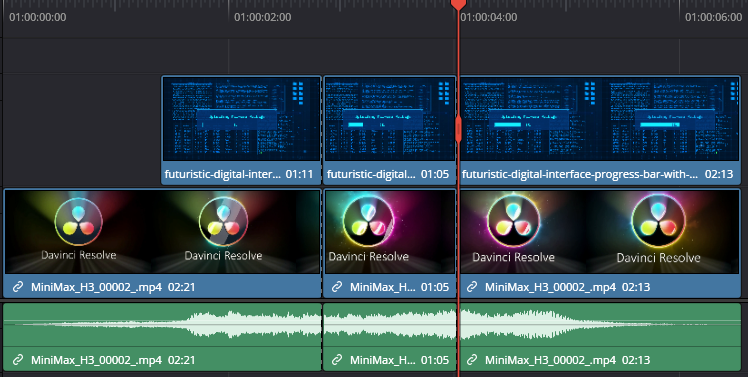
Blade creates separate timeline segments without creating new files on disk.