Energy Assembly Effect for an Object or Logo
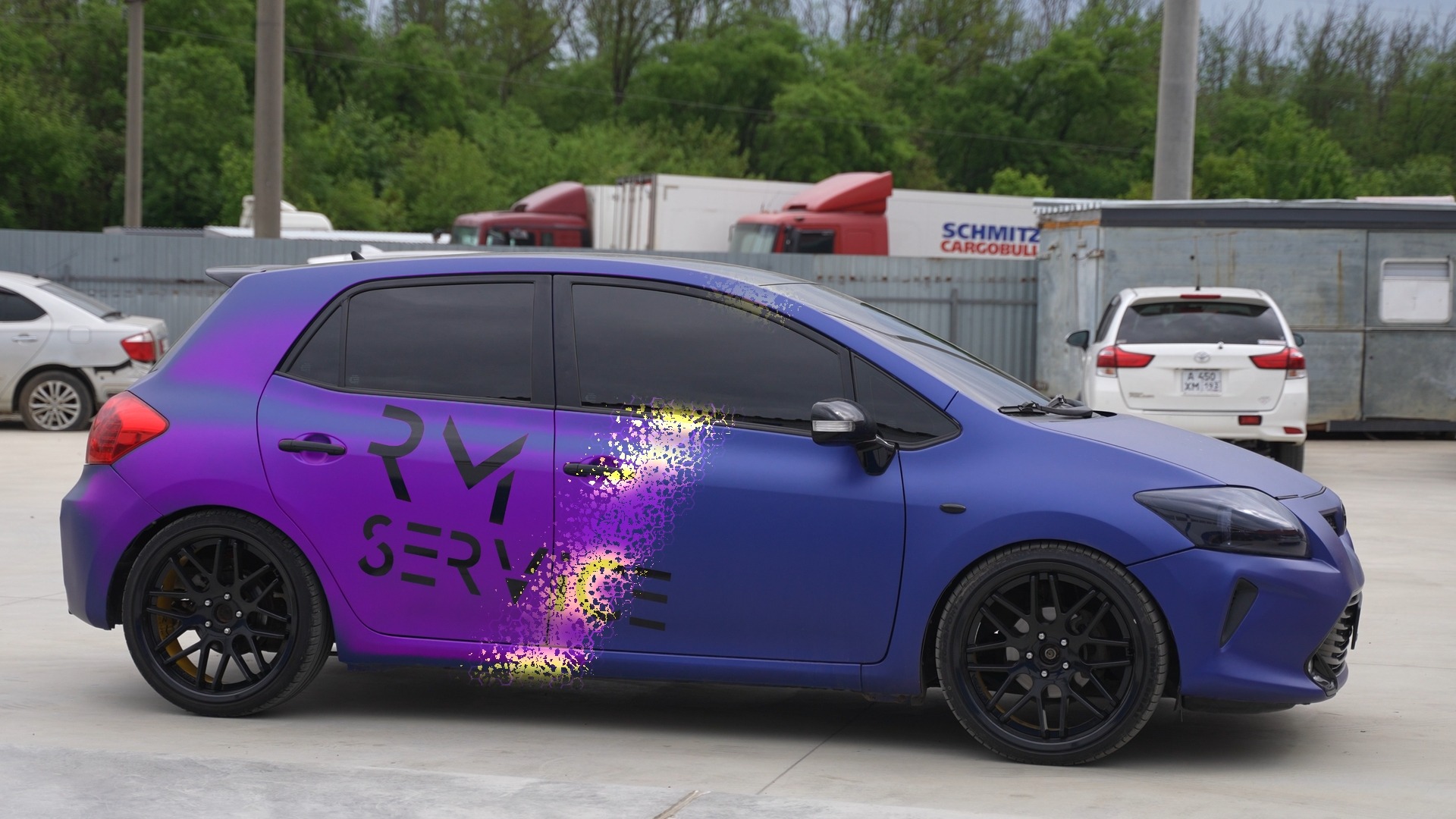
This workflow creates staged materialization rather than a disintegration. The source object is separated into multiple transparent pieces, and each piece goes through its own assembly phase: luminous pixel fragments appear, distortion decreases, brightness settles and the layer reaches its final position. Repeated branches are offset in time so the object forms piece by piece instead of appearing all at once.
Why this graph is built this way
Workflow logic
The large graph is justified because each object segment needs an independent reveal time and motion profile. Inside every repeated branch, FastNoise generates organic structure, Mosaic Blur turns it into digital blocks, Color Corrector colors the energy edge, Glow and Soft Glow add light, and Displace converges the scattered fragments into a clean image. Merge and MultiMerge assemble all stages into one composition. Because each segment follows the same pattern, the technique can be adapted to logos with a different number of parts.
Node tree
Connection diagram
The cable colors follow Fusion conventions: blue is an Effect Mask, neutral lines carry images, and colored ports indicate specific node inputs. Node-page links are intentionally disabled on the English diagram until the matching Fusion Encyclopedia pages are translated.
Node order
How to read the chain
Prepare the object as separate layers
Split the object or logo into independent transparent PNG pieces. The source composition uses several MediaIn layers, each with its own repeated assembly branch.
Create the pixel structure
FastNoise with high Contrast and negative Brightness creates sparse bright regions. Mosaic Blur turns that noise into square or hexagonal digital fragments.
Build the energy edge
Color Corrector sets fragment color, Filter emphasizes the boundary, and Glow plus Soft Glow create a bright energy phase before full materialization.
Reduce distortion to zero
Animate Displace Offset and Refraction from strong values back to zero. The scattered fragments converge toward the original clean object shape.
Reveal the clean layer
A Merge with animated Blend gradually replaces the energy branch with the source PNG. Brightness / Contrast simultaneously reduces excessive brightness after the flash.
Offset repeated branches in time
Start repeated branches on different frames. The delays make logo segments assemble sequentially instead of appearing in one simultaneous burst.
Assemble the final object
Final Merge and MultiMerge nodes combine the prepared segments, then Transform sets final position and scale before MediaOut.
Result
What the shot looks like
Individual parts of the medal materialize one after another from glowing digital fragments and converge into the complete object. The same principle works for logos, badges, emblems, devices or any transparent PNG that can be separated into layers.
When to use it
Where it works
- Logo materialization in intros and commercials.
- Sequential assembly of an emblem, award, medal or badge.
- A technical device appearing from digital fragments.
- Intros for competitions, games, technology events and presentations.
- Transitions from energetic fragments into a clean brand mark.
Node parameters
What changes from the defaults
FastNoise
The main source of digital structure. Different copies use different X Scale and gradient direction so the fragments do not all look identical.
- Contrast: 5
- Brightness: -1
- X Scale: approximately 83–180
- Seethe Rate: 0.016–0.094
- Gradient direction controls the reveal direction
Mosaic Blur
Converts smooth noise into separate geometric fragments and is used either as an image or as an Effect Mask.
- Pixel Frequency: 52.1 or 100
- Cell Shape: Square / Hexagon
- Smooth Strength: 0
- Blur Alpha: enabled
- Aliasing varies between branches
Displace
Creates the scattered phase and subsequent convergence. By the end of each stage, all distortion parameters return to zero.
- Type: Refraction
- X / Y Offset animated toward 0
- X / Y Refraction animated toward 0
- Active phase lasts about 15 frames
- Keyframes are time-offset between branches
Glow / Soft Glow
The two glow types separate a harder energy edge from a wider soft aura around materializing pieces.
- Glow Size: about 29.9
- Glow Blend: 0.2
- Soft Glow Threshold: 0.2
- Soft Glow Gain: about 1.339
- Energy branch composite mode: Screen
Merge / MultiMerge
These nodes control the staged reveal of clean PNGs and the final assembly of many independent pieces.
- Blend animated from 0 to 1
- Glow Apply Mode: Screen
- Effect Mask receives Mosaic Blur or the object layer
- Each branch has its own time range
- Final layers are assembled before Transform
Common mistakes
What not to break
- Do not use one flattened PNG if the effect needs separate object segments to assemble sequentially.
- Do not start every branch on the same frames or the staged materialization collapses into one global flash.
- Do not leave Displace at non-zero final values or the finished object will continue to wobble or remain distorted.
- Avoid very fine Pixel Frequency values that turn readable digital fragments into noisy mush.
- Do not forget transparency in source PNGs or each part's background will cover layers assembled earlier.
- Do not push Glow equally hard in every branch; combined brightness can quickly clip object detail to white.
- When adding new segments, offset Blend, Gain, Offset and Refraction keyframes rather than simply duplicating a branch unchanged.