What you will learn
- Build a consistent bin structure for a working project.
- Understand how to reuse a source without copying the file.
- Recognize the risk of offline media before editing.
Before you begin
- Open Edit with the Media Pool visible.
- Prepare two or three source files and one audio file.
A bin is an organizational folder inside Resolve
The Media Pool catalogs the current project's media. The bin tree is on the left; the selected bin's contents are on the right. The example uses main, vfx, mic and broll: a useful starting point because these groups describe footage roles instead of arbitrary copy dates.
A bin belongs to Resolve's project database. Moving a clip between bins does not move its file on disk. Deleting the file in the operating system can cause Media Offline even when its Media Pool entry remains.
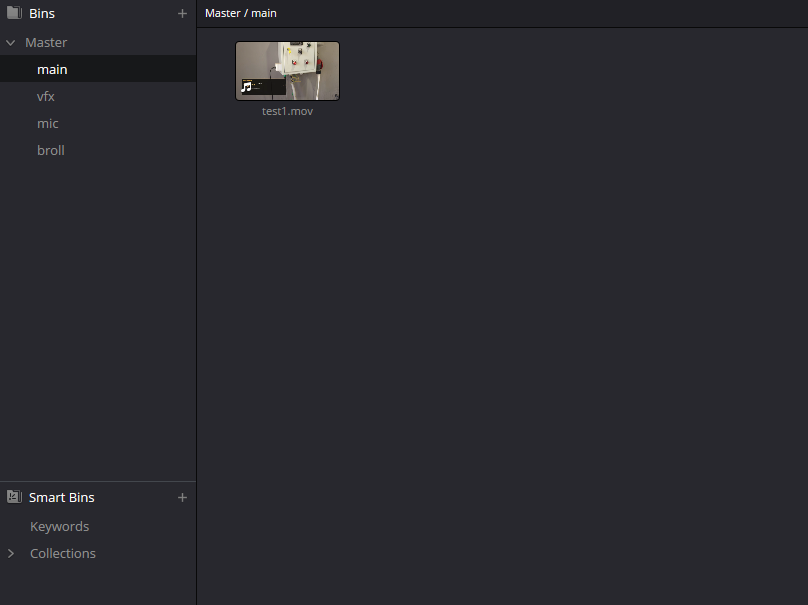
Select a number on the image or a panel name. Open the enlarged view for small controls.
The main, vfx, mic and broll bins organize main-camera footage, graphics, external audio and cutaways.
| Bin | What to store | Purpose |
|---|---|---|
| main | Main camera and usable takes | Build the story |
| broll | Cutaways and detail shots | Cover cuts and show details |
| mic | External microphone and voice-over | Synchronization and clean dialogue |
| vfx | Logos, graphics and prepared effects | Separate graphics from footage |
One file, several uses
A clip can appear in different timelines and repeatedly in one edit. The source file is not duplicated: timeline instances reference the media entry and their own frame ranges. Copying an MP4 for every new excerpt usually only complicates storage.
Renaming a Media Pool clip changes the project object's name; its disk filename is a separate property. Handing a project to another editor requires both project data and access to original media. Timeline copies and project saves alone do not back up source video or audio.
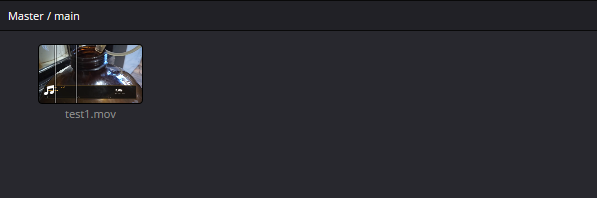
One Media Pool file can be reused without duplicating its source.
Smart Bins and metadata
A Smart Bin is a dynamic selection based on media properties, metadata and conditions. Instead of moving files manually, you specify selection criteria. This is useful in large projects where clips need to be found by several attributes.
Agree on simple naming and tagging rules: camera type, scene, take, bad audio or a useful angle. A complicated tagging system for ten clips only slows the work.
- Create ordinary bins for primary footage, audio, cutaways and graphics.
- Import files and group them by purpose.
- Mark selected takes with clear keywords or other available metadata.
- Create a Smart Bin with a useful condition and verify that changes to metadata change its results.
Recover missing sources
Check whether the file still exists in its original folder and whether the drive name has changed. If media moved, use Relink to point to the new location. Avoid reimporting everything over existing entries until you understand the cause; that can confuse takes and duplicates.
- Find the source file on disk and confirm that it is the correct take, not a different file with the same name.
- Select offline clips in the Media Pool and choose Relink Selected Clips.
- Choose the folder containing the moved sources and wait for relinking.
- Open the recovered clip in the Source Viewer, then check picture, audio and duration in its timeline instances.
STEP-BY-STEP PRACTICE
Organize a practice video
- Create four bins: main, broll, mic and vfx.
- Put the talking camera in main, details in broll and the external dialogue recording in mic.
- Open each bin and check that each file's role is obvious.
- Build a 15-second sequence using one main recording twice.
The timeline contains two instances of one source, while the Media Pool retains one reference to the original file.
Errors and diagnosis
I moved the file on disk and got Media Offline.
A bin does not physically store media. Relink the original instead of duplicating project entries.
My Smart Bin is empty.
Check its conditions and the actual metadata. A Smart Bin filters media; it does not copy files into itself.
Common questions
Can I delete the original after importing it into the Media Pool?
No. Resolve normally continues reading the original from disk. Import does not automatically create an embedded copy.
How does a bin differ from a Smart Bin?
An ordinary bin is a project folder you organize manually; a Smart Bin shows media matching conditions.